







PICO-8

Pico-view
pico-view:
2025
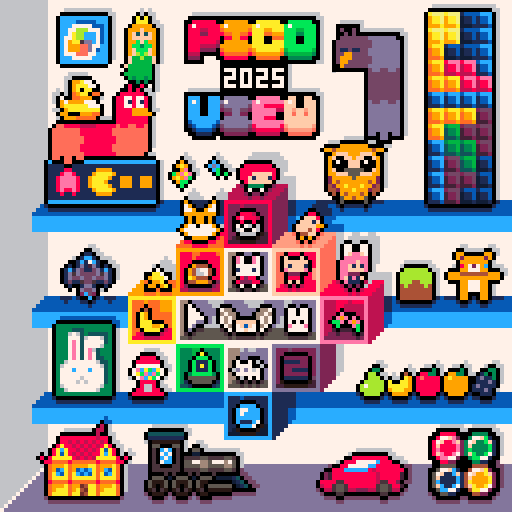
Hello Pico-View Reader, Happy New Year! This issue is the sixteenth in the series and takes a look at the eventful year of 2025 in the PICO-8 Community, as well as some exciting projects coming in 2026.
Thank you to the writers, contributors, and all supporters, that includes you reader! We thank you from the bottom of our hearts. And as always, have fun adventuring through the pixels and paragraphs of this issue of the Pico-View web-zine!
Authors & Contributors:
Munchkin, Kevin Thompson, Bikibird, Keys (IndiePixel), DrPaneas, VirtuaVirtue, Phil S, Werxzy, VoidgazerBon, Achie, and Nerdy Teachers
Zine Supporters (Memberships):
RB, Cort, Tubman, Taichara, bikibird, ivan, Diante Clark, AzureBit, Jhonatan, Liquidream, RJOE, luchak, taxicomics, BoomBamZam, Starbuck, Kevin(tm), No1shotzofan, dcolson, drpaneas, Sourencho, retronator, TheJudge, Yutsud, Zellkoss, Fred M, Braillynn, Johan Peitz, Tom Hall, SDotComics, Tréveron, Seth, Dakota M., Celeste E., Tori, Hewco, FuriouslyFurious, Sammy, David
 Become a Supporter
Contents:
- Cover Art by OK_Letterhead1848
- New Text Effects Made Easy - NerdyTeachers
- Top 20 Games of 2025 - VoidGazerbon & NerdyTeachers
- From Tennis to Jelpi to PICO-BALL - Munchkin
- PICO-8 Advent Calendar 2025 - Kevin & Bikibird
- Retro Titans Developer Interview Podcast
- Road to 200K Words - Werxzy
- A Go library in PICO-8 style - drpaneas
- Updated Top 200 PICO-8 Games - VoidGazerbon & NerdyTeachers
- To Dither a Horror Game - VirtuaVirtue
- Art of Umbra - Keys (IndiePixel)
- PICO-8 Giveaways 2025 - Nerdy Teachers
- Pixel Art Gallery - PICO-8 Community
-Closing Remarks
new Text effects made easy!
by nerdy teachers
PICO-8 got an update this year to version 0.2.7 which introduced several game-changing features, but my favorite was: built-in text outlines via P8SCII control codes!
If you've ever written a text outline yourself, you know the pain of 9 print() calls costing way too many tokens.
In the past, making your text appear to have an outline consisted of drawing the same text multiple times just offset by 1 pixel in each direction before finally drawing the actual text to be read in the center of all those offset texts. It looked like this:
Written Out
--8 direction outline
print("hello world",x-1,y,0) --left
print("hello world",x,y-1,0) --up
print("hello world",x+1,y,0) --right
print("hello world",x,y+1,0) --down
print("hello world",x-1,y-1,0) --up/left
print("hello world",x+1,y-1,0) --up/right
print("hello world",x-1,y+1,0) --down/left
print("hello world",x+1,y+1,0) --down/right

print("hello world",x,y,text_color) --final center

--78 tokens
Or as a Function using Loops
function print_o(str,x,y,col,ocol)
  -- draw outline (8 directions + center)
  for dx=-1,1 do
    for dy=-1,1 do
      if dx!=0 or dy!=0 then
        print(str,x+dx,y+dy,ocol)
      end
    end
  end
  print(str,x,y,col) -- foreground
end

print_o("hello world",x,y,text_color)

--51 tokens
But now, this is what that exact same text looks like with the new outline control code:
print("\^o0ffhello world",x,y,text_color)

--6 tokens!!!
If control codes are new to you, don't be intimidated by all the symbols and numbers. They are actually really simple to get a hang of and once you do, you can add some extra neat styles to your game text very easily!
Understanding Control Codes
You may already be familiar with this \n, for moving text to a new line, which is pretty much the universal control code, called an "escape sequence", and works in PICO-8 too. But PICO-8 has many unique escape sequences that can do some really handy things with your text.
For example: (we separated the control code from the text string for easier reading)
print("\f7".."abc") --set text color to 7 (white)
print("\^w".."abc") --wide text
print("\^t".."abc") --tall text
print("\^u".."abc") --underline text
You can even stack the control codes to combine the effects! Here are some examples starting out simple and getting more complex. Remember, each line of the text below was printed with just one print function call.
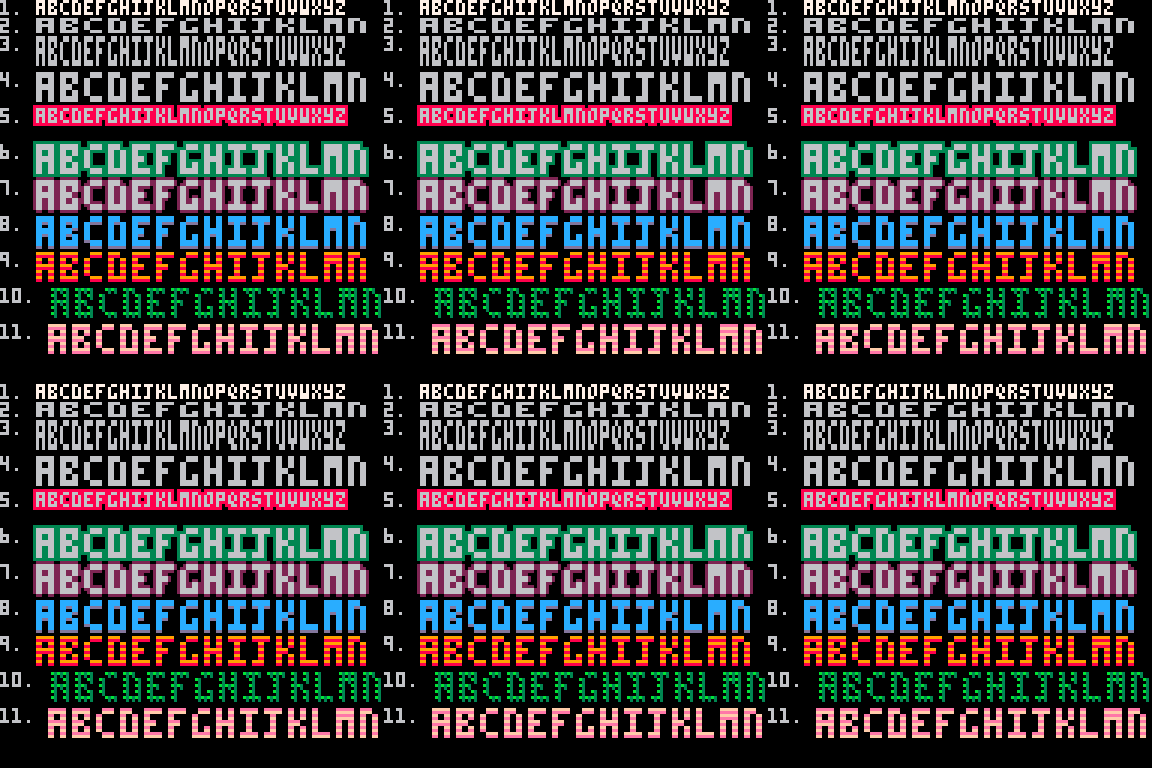
| text effect | control codes used | |
|---|---|---|
| 1 | set text color white | "\f7" |
| 2 | wide text | "\^w" |
| 3 | tall text | "\^t" |
| 4 | wide and tall text | "\^w\^t" |
| 5 | outline, red, full (8 directions) | "\^o8ff" |
| 6 | wide, tall, and outlined (8 directions) | "\^w\^t\^o3ff" |
| 7 | wide, tall, and outlined (4 directions) | "\^w\^t\^o25a" |
| 8 | wide, tall, and outlined (1 direction, bottom), text blue | "\^w\^t\^o25a\fc" |
| 9 | wide, tall, stripey, outlined red (bottom), text orange | "\^w\^t\^=\^o840\f9" |
| 10 | wide, tall, pinball, outlined (right and diagonal), text green | "\^w\^t\^p\^o390\fa" |
| 11 | wide, tall, stripey, outlined (bottom), and animated by swapping color variables (c1,c2) | "\^w\^t\^=\^o"..c1.."40\f"..c2 |
Admittedly, the outline control code is more complicated than the rest with extra characters after the o, and that's what we're here to teach, so let me simplify it for you.
Understanding Outline Control Code
The outline control code takes two parameters after the \^o, which are: (1) the outline color; and (2) how much of the outline to draw. These are both written in hexadecimal:
| Decimal | 0 | 1 | 2 | 3 | 4 | 5 | 6 | 7 | 8 | 9 | 10 | 11 | 12 | 13 | 14 | 15 |
|---|---|---|---|---|---|---|---|---|---|---|---|---|---|---|---|---|
| Hexadecimal | 0 | 1 | 2 | 3 | 4 | 5 | 6 | 7 | 8 | 9 | a | b | c | d | e | f |
Here is what the code break down looks like:
\^o + hex_color + hex_mask
| \^o | set the outline text effect |
| hex_color | provide a color index but use a single-digit hexadecimal (0-f) \^oc --outline in color 12, blue |
| hex_mask | provide a 2-digit hexadecimal for which of the 8 neighboring pixels around the text should be filled (00-ff). \^o7ff --outline, in white, all 8 neighbors |
The most confusing part is the hex_mask right? So we made this cart to help visualize three things: the breakdown of the control code, the neighboring pixels set by the hex_mask, and the resulting text string. Click play to load the cart, then use arrow keys (left/right) to increase or decrease the hex_mask number, and arrow keys (up/down) to change the outline color.
Outline Quick Reference

0x01

0x02

0x04

0x18

0x24

0x40

0x42

0x5a

0xff
(showing mask parameter in hexadecimal, the "0x" prefix shows the following digits are in hex format, so only use the white text as your outline hex_mask)
If this still looks confusing or like it is too much to try to remember, don't forget you can always make things easier on yourself by designing the text style in your game one time, and save the control codes for that style in a variable, then just apply that variable before you print any text!
--init once
text_style="\^w\^t\^=\^o840\f9"

--draw easily
print(text_style.."game text here",x,y)
Enjoy making your games' text more readable and more interesting using text outlines and all the other effects the control codes offer. Experiment around and share some cool effects you combined. I'd love to create a page that offers a wide range of text effects made purely by control codes that you all can easily copy into your own games.
Top 20 Games of 2025
from Official BBS
from Official BBS

As the new year arrives, one of the most exciting things we get to do is look back, sift through all the amazing new titles in the BBS, and answer the question "What were this year's best games??" So we're going to jump right in to that this issue.
Here are this year's best PICO-8 games based on the Lexaloffle BBS star ratings given by you all! PICO-8 developers did not disappoint this year with so many beautiful, entertaining, puzzling, action-packed, and strategic games to play.
#1
Cattle Crisis
By: KrystmanThe culmination of a multi-year deep dive into Shmups and the final result of the Advanced Shmup Tutorial series. Pilot your fighter jet to defeat evil aliens and save your precious cows.
#2

Snekburd
By: WerxzyA stunning demake of Snakebird, by Noumenon Games, with all new puzzles and mechanics that is certain to be a challenge to both newcomers and veterans of the original.
#3
SPHONGOS
By: mkolochAn immersive sci-fi survival game where you must explore, collect, and upgrade your suit and laboratory to uncover the entire game world.
#4
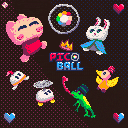
PICO-BALL
By: MunchkinAn exhilarating single or multiplayer sports game that is a mashup of tennis, volleyball, squash, and wallball starring our favorite PICO-8 mascot, Jelpi.
#5
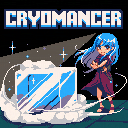
Cryomancer
By: suezouA complex top-down action puzzler inspired by the NES game "Solomon's Key 2" (known as "Fire 'N Ice" in N. America) where you control the power of ice to navigate levels and defeat the pyromancer.
#6

Super Hat Girl
By: benviumA cute and casual puzzle-platformer where a girl and her super hats of various powers defeat 15 levels of baddies.
#7

Top Speed!
By: benviumA thrilling single player Mario-Kart-like racing game from the top-down SNES era with fun controls and items in 19 different tracks.
#8
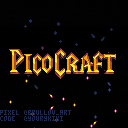
Picocraft
By: dhostinA multicart demake of "Warcraft III Reign of Chaos" with 4 maps, 4 units, and 6 buildings, complete with upgrades.
#9
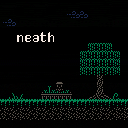
Neath
By: binaryeyeA unique exploration platformer where you gain different elemental powers to help navigate and progress through the game world.
#10
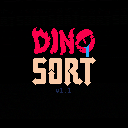
Dino Sort
By: Adam AtomicAn amusing dinosaur puzzle game where you must position each species according to their different needs in 26 handmade levels and infinite generated levels after that.
#11
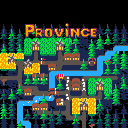
Province
By: PerfoonA simple but stimulating top-down town builder where you try to raise enough food and population to train knights for the king.
#12
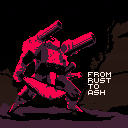
From Rust to Ash
By: LokiStrikerA strategic roguelike auto-battler and inventory management game where you fight, loot, and scavenge for items to assemble and upgrade your mechs.
#13

Walker
By: buzzard1337A side-scrolling bipedal mech shooter that is a loyal remake of the Amiga 1993 game of the same name.
#14
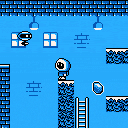
Pole Station
By: PavilionA charming monochrome platformer with chunky pixels where you explore, collect hidden items, and fight baddies in search of the exit.
#15

Skeleton Gelatin
By: Adam AtomicA formidable puzzle-platformer where you are a slime with limited movement abilities but must traverse a complex cave system while collecting skulls and seeking the exit.
#16
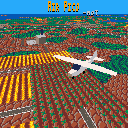
Air Pico
By: MotA cozy flight sim lite where you can perform deliveries, charter flights, crop dust, or other jobs to unlock new planes.
#17
Mouse Required
By: WerxzyA deceptively complex puzzle game where you control a mouse to navigate rooms and gather hints to unlock doors and progress.
#18
Mole Mole
By: Adam AtomicA cute puzzle game that mixes Sokoban and Bomberman mechanics through "25ish" levels.
#19

Crimson Night
By: FictionityA grisly gun-slinging survivor-like game where you collect gems to level up and unlock powerful abilities for banishing demons.
#20

Libryinth
By: MunroAn impressive library simulator where you maintain a vast collection of books and fulfill your ghoulish patrons' requests as a dungeon librarian.
Congratulations to all the developers of these games! Your creations have been thoroughly enjoyed this year. If you're looking for even more games and are curious about the latest rankings of more PICO-8 games, don't worry, there are more announcements on the topic later in the zine!
From Tennis to Jelpi to PICO-BALL
by Munchkin
Hello, I made the game PICO-BALL!
The game is a mashup of tennis, volleyball, and other games that involve bouncing a ball around. I’m delighted that the game has gotten enough attention to be in this zine and even the top 5 PICO-8 games of the year, which may be in large part thanks to the inclusion of the Jelpi and other characters from the similarly titled “Jelpi” demo cart that comes with PICO-8.
Funnily enough, I didn’t even plan on making a game with them at first, as I added them as placeholders because I was having a hard time quickly making some characters I was satisfied with when prototyping. I quickly realized that I loved their inclusion, along with the little hats I put on them, and so I proceeded to add more elements from the Jelpi demo, ultimately making the game’s story and world entirely based on that of Jelpi’s! Their inclusion not only gave the game more personality, but helped me develop the gameplay by inspiring me to add the dash mechanic! The Jelpi enemies also gave me ideas for the opponents and their abilities.
Sometimes essential parts of a project develop unintentionally.
Below are some gifs of the game from various points throughout development, along with some notes about each one. I hope they provide some interesting insights into the game's creation!
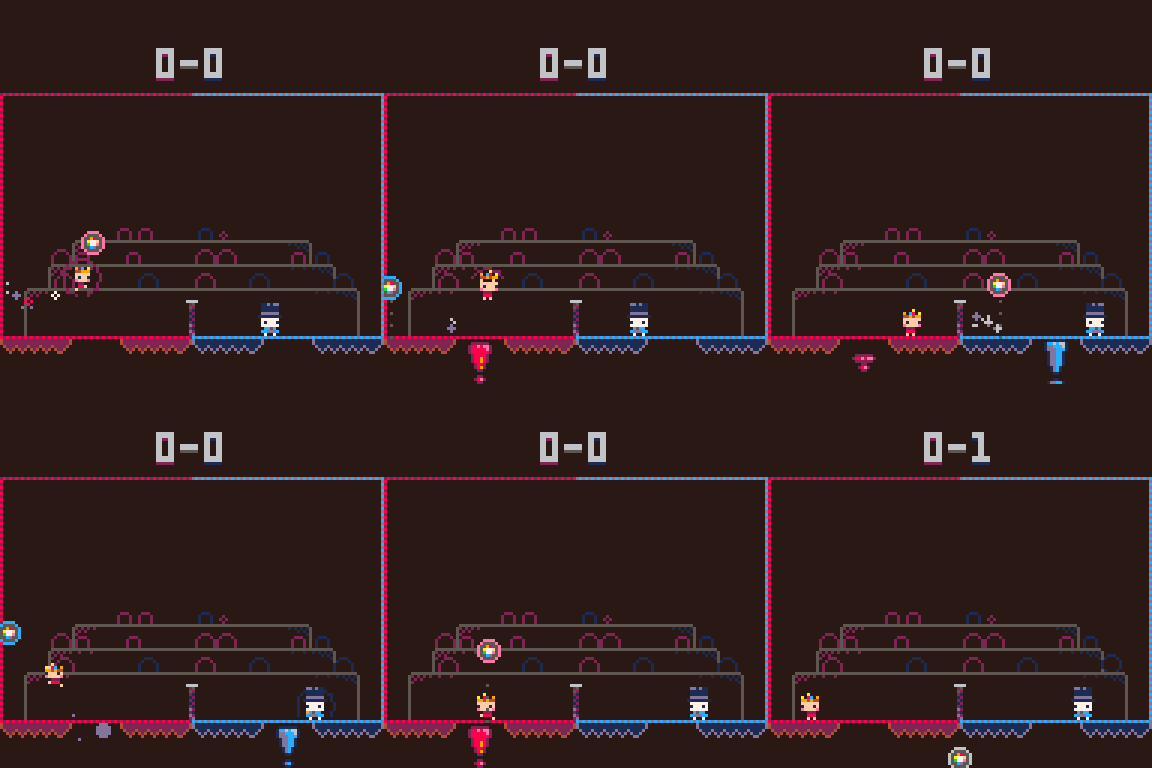
This is a GIF from the first couple of days spent on the project. It contains very rudimentary art and physics. At this point in the project, I was trying to test out my initial idea of two-dimensional two-player tennis to see if it'd be fun. I didn't even add collision with the center net, just three boxes.

This was shortly after I added Jelpi and Mimo as the placeholder characters. I decided to add little hats to their heads for fun, though I hadn’t yet decided that I would keep them as the characters in the end. The physics were still wonky, but this is where the identity of the game began to develop.
This is where you could begin to call the project a "playable" game. Scoring was functional, main mechanics were implemented, and simple effects were included. I was inspired by the Jelpi games to add the dash ability to spice up gameplay. I think I had been planning to add a less intuitive move before, which would not have worked so well. Also, see how the blue background blobs cheer when their side gets a point? I had fun adding that little detail.
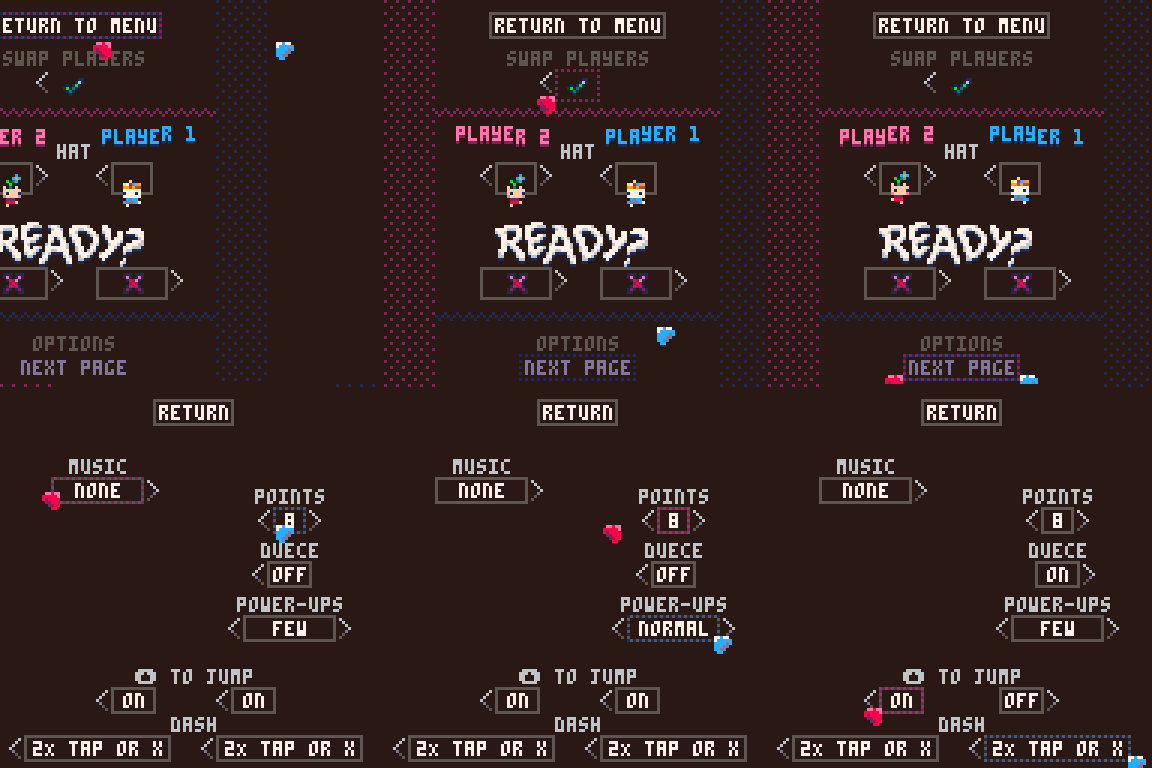
50% of the code for this game (and what I think was about 50% of the total dev time) was spent on the menu systems for the game. I wish I had footage of earlier menu prototypes, but this is the earliest I have. Saving, managing, and transferring user preferences and data was something that I wasn't too familiar with, and was probably my biggest challenge in the project. I loved making the UI, but it was tough.
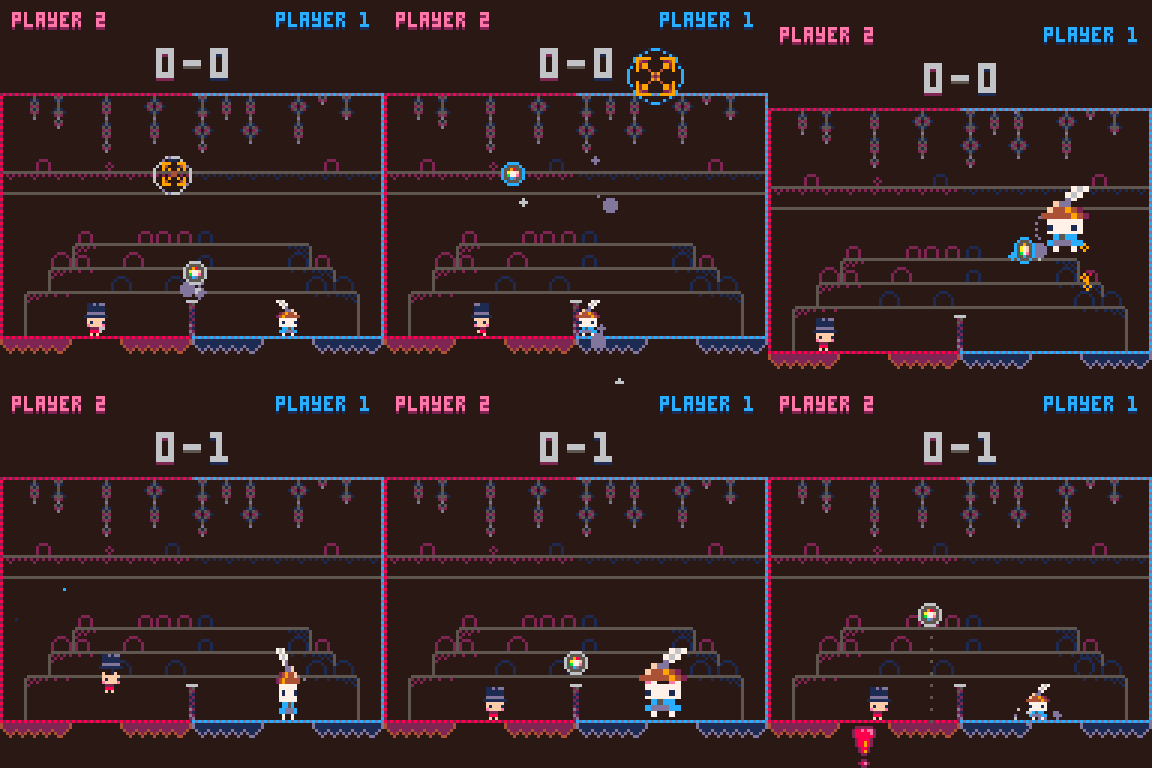
The gameplay was really far along at this point. The last feature I added for normal player-versus-player was the power-up system, this growing power being the first one.
Later on, I would add a winning-score indicator at the bottom and text prompting the player(s) to use their powerup, but other than that, this footage is very similar to what you see when playing the published game.
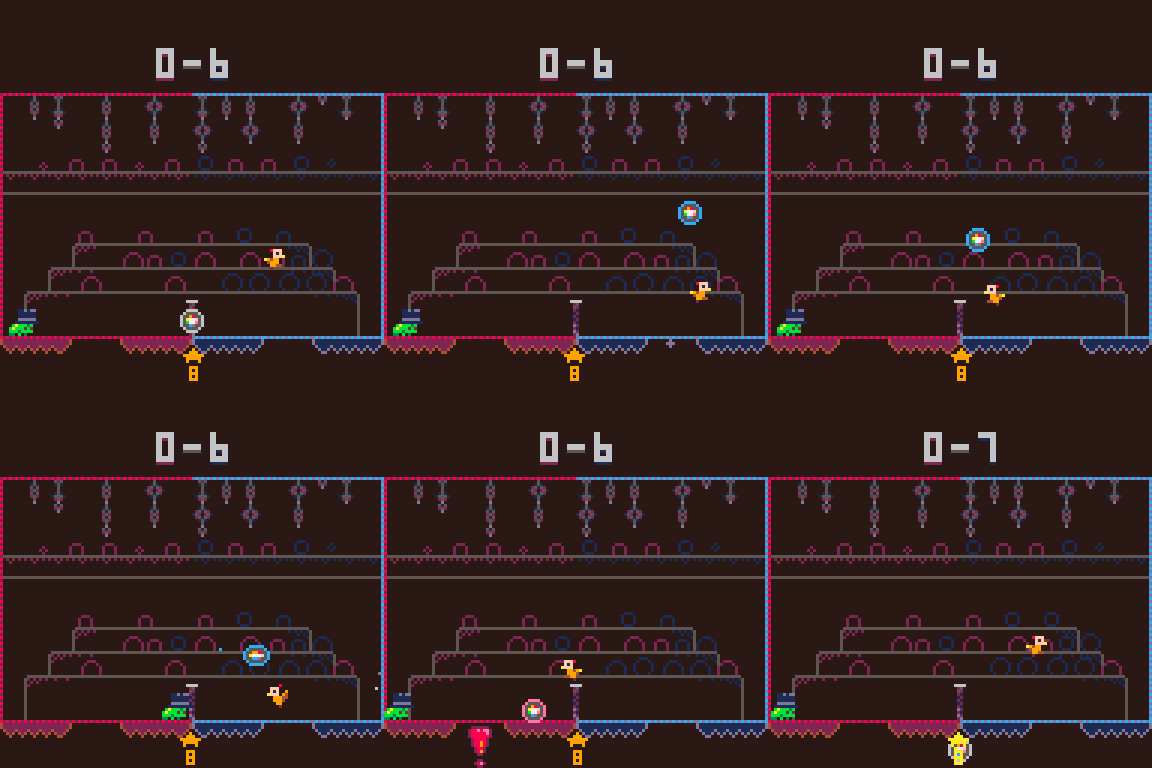
One of the later gameplay additions I made to the game was a campaign in the form of a set of opponents. To test these opponents, I often pitted them against each other. This feature later made its way into the game as an alternate mode!
I’ve nerfed the bird since the time of this gif, but it’s still a tough opponent! By the way, I think it’s very important to differentiate this tophat-wearing frog from other frogs, for this one is a truly dapper frog.

It's fun to increase the number of balls in the game and watch the chaos ensue. This feature is used in the non-campaign modes to some degree, but it never reaches 10 at once normally. It's also funny to see the background audience circle-people go crazy with the number of points being earned at once.
I’m glad that I managed to make a game that a lot of people had fun with! This being a multiplayer game, I’m especially glad to think that it might bring friends and family closer together. I’ve also been amazed by the skill and dedication some players have: many people have acquired the semi-secret fancy crown, a special hat unlocked by defeating all campaign opponents with a score of 8-0. This is very hard to do, and when I added this feature to the game soon after the game's initial release, even I hadn’t managed to do it! I only got around to it a month later.
If you’re a skilled PICO-BALL player looking for an extra challenge, consider going for this special crown! The timed wall and co-op modes are also great challenges, although they don’t have their own rewards. I had the idea of including special hats for reaching certain times in these modes, but I haven’t had the time recently… perhaps one day!
- @Munchkin a.k.a. PlayerTheMaker
PICO-8 Advent Calendar 2025
by Kevin & bikibird
The PICO-8 Advent Calendar is a tradition that started in 2018. For the past seven years, I’ve enjoyed being surprised and delighted by the games released each holiday season. This year, I had the opportunity to join Bikibird in promoting and organizing the 2025 PICO-8 Advent Calendar.
At the end of September 2025, Bikibird posted a message in Discord asking if anyone was interested in helping to organize this year’s Advent calendar. As a software engineering manager by trade, and someone who’s enthusiastic about the PICO-8 community, I felt like I had the right skills and experience to help make this year’s calendar successful.
I began promoting the Advent calendar in October to recruit developers —elves early. I followed the example set by Bikibird the year before, creating a jam on itch.io and then promoting it on social media. Before long, we had plenty of developers getting to work on this year’s games. In total, we ended up with 31 entries, so we introduced things like Saturday stocking stuffers, where we released several smaller arcade-style games each Saturday, in order to accommodate all of the entries.
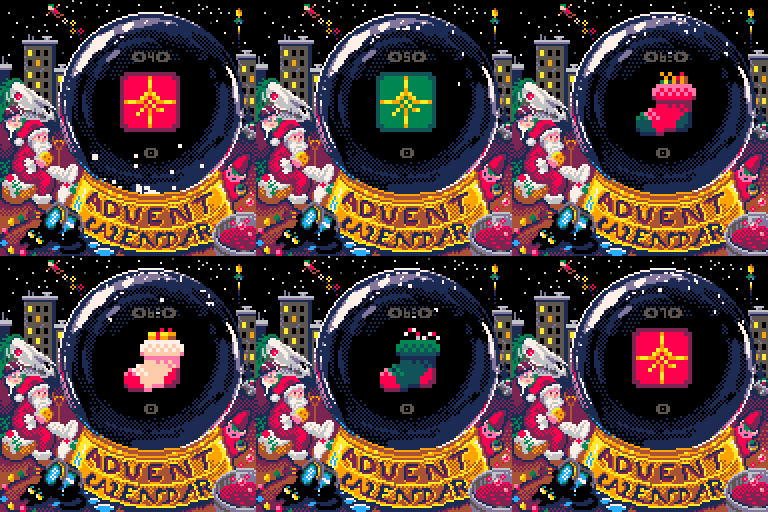
While I did step in to handle some of the logistics this year, Bikibird still managed a large portion of the event. She created this year’s calendar cartridge, along with a lot of wonderful art from Doriencey. She also actively worked with developers on Discord to help them solve technical issues and find the fun in their games. My role bookended the advent calendar, promoting the event and recruiting the elves at the start, and then, as we got into December, scheduling the release of all of the cartridges and ensuring games were completed on time.
Over the past few months, I’ve loved seeing the elves work together to create a fun and interesting experience for this year’s calendar. Several developers created art or music for each other’s cartridges, and we all actively play-tested entries and provided feedback to ensure everyone felt supported and had what they needed to complete their entries on time.
I had a lot of fun participating in the Advent calendar this year and look forward to continuing to contribute to this tradition in the years to come!
Advent Calendars Past
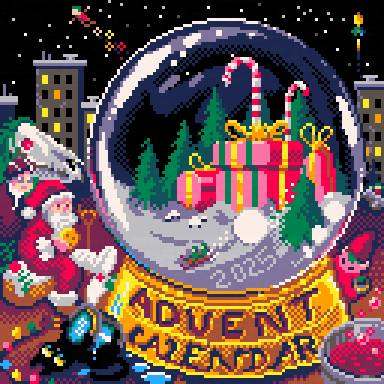
( This year's advent cart cover art by Doriencey )
Retro Titans:
A Love Letter to the Past
and Future of Games
A Love Letter to the Past
and Future of Games
Retro Titans is a podcast that celebrates the enduring spirit of video game creation: from the bedroom coders of the 1980s to the indie developers keeping that spark alive today. Hosted by Phil Szomszor, the show dives deep into the stories, passions, and creative journeys of the people behind our favourite retro and modern-retro titles. Whether it is talking to veteran developers who helped shape the 8- and 16-bit eras, or indie creators using classic tools to make something new, Retro Titans offers a warm, nostalgic exploration of how the past continues to inspire the future of play.
One of the show’s most exciting recent discoveries has been the world of PICO-8!
Although the Retro Titans team only stumbled across it properly in late 2025, we were instantly captivated by the creativity, fun and accessibility of the platform. There is something magical about how this tiny “fantasy console” sparks imagination; its limits seem to encourage, rather than restrict, invention. PICO-8 perfectly embodies the retro spirit: small teams or solo developers making something joyful, experimental, and completely their own.
So far, Retro Tians has featured Gruber and talked about his journey from the jazz world to retro game music, how PICO-8's strict limitations inspire new forms of creativity, and what the experience taught him about community, creativity and learning. But behind the creativity lies a more personal story. After years in academia and performing, Chris faced burnout that led him to step back from the piano - even selling his most cherished instruments. He has come out the other side and has an amazing, inspirational story to tell.
And then in an interview with Johan Peitz, they explore the origins of Johan's game-making journey, from early inspirations to discovering PICO-8's unique constraints and charm. They discuss the process behind demakes like Delunky and Pico Driller, how collaboration with others shape the tone of his games, and what makes the PICO-8 community one of the most supportive and inventive corners of the indie scene. Johan also shares advice for newcomers curious about making their first PICO-8 game — and why the best ideas often come from working within limitations.
There are plans for many more in 2026, as there is still so much to delve into: how these games are made, the stories of the people behind them, and the thriving, collaborative community that supports them.
Each episode of Retro Titans blends thoughtful interviews, a touch of nostalgia, and a deep appreciation for creativity in all its forms. It is a show for anyone who loves the craft and culture of games; especially those who believe that the best ideas often come from the smallest screens and the boldest imaginations.
Retro Titans Socials
Road to 200K Words
by Werxzy
Near the end of 2024, I had the sudden urge to try to fit as many words into PICO-8 as possible, then somehow make a game out of it. Which might not be unusual, as there have been a bunch of attempts in PICO-8 before mine. Though many of these attempts usually limit themselves in either the number of words, only using words of specific lengths, or sometimes the accuracy of validating if a word exists. However, I wanted to fit an entire dictionary.

There's a few issues with trying to fit so many words into PICO-8. Each PICO-8 cart has a pretty small size limit.
First, each cart can only fit 65,535 characters, not to mention they must be within the compression limit of 15,616 bytes. There's also extra space of 17,152 bytes that's usually meant for sprite, map, or music data, but can be used to fit in more words. The word list I used contains about 198,000 words with about 1,770,000 letters. With each character in a word costing 1 byte and each cart having around a 32,768 byte limit (15,616 + 17,152), the word list would need to be stored in about 54 carts.
This unfortunately doesn't fit into PICO-8's new 32 cart limit for binary exports. Some form of compression would be needed to package all the words together.
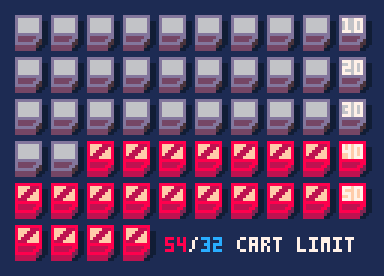
But even if the words were optimally compressed into the PICO-8 carts, a second issue arises with loading the word list.
PICO-8 has a 2 Megabyte ram limit. Even if the list was stored in a single string without spaces using about 1.8 MB, it would only leave about 0.2 MB for the rest of the game. For smaller game ideas, that amount of space probably would be plenty. But keeping everything into a single string brings a third issue, finding if a word exists in the string just takes WAY too long. The only way to iterate through a string of that length is with PICO-8's all() function. Running the loop with no other code inside takes maybe 0.2 seconds which will cause a noticeable freeze within the game. Especially with any sort of logic to check if the word is valid.
Having points where the word checker would skip sections of the string would help a bit, but wouldn’t be feasible. Indexing a specific character in the string uses PICO-8's 32-bit fixed-point numbers, which only go to 32,767. The all() function can bypass this limitation, as it doesn't use PICO-8's number format. Splitting up the long word list into multiple strings is a valid option, but individual strings have a flat memory cost which will eat away at the leftover 0.2 MB.
A quick alternate solution to see if a word exists, is to store all the words into a Lua table, with each word as a string key and a boolean true as the value. To see if a word exists in the list, just index the table with the word. While probably the fastest way to check a word it, a table with 198,000 keyed/hashed entries would take around 5 MB for just the table alone, not including the 5 MB needed to have every word as a separate string (17 bytes per string * 198,000 words + 1,770,000 characters = 5,136,000 Bytes). Which is way over the 2 MB limit of PICO-8.
Even if the limit could be ignored, there is a final fourth problem that I wanted to solve, finding all valid words in a grid. Having a list of words to individually check if they exist in a grid, or checking each combination of letters in the grid for a word, will just take way too long.
The solution I came up with effectively is the same as a Trie, but stored in one more space efficient string (and later multiple strings for speed). The main thing I noticed is that most words share the same starting letters with a few other words. Apple and apples is a simple example.
Let’s say we type out "applE", having the capital E at the end to denote that a word has been finished being typed. Then continue with typing capital S to say the next word is done. This results in "applES", taking up 6 characters instead of the original 11 for both words. Now if we want to add another word that doesn't use all the letters in "apples", we can add a number to say how many letters to remove from the end, or how many times to hit backspace. Adding "applet" will result in "applES1T", adding "1T" to become 8 compressed characters for the now 17 characters from 3 words.
Many sets of words end with a combination of "ed", "er", "ing" and "s", in addition to just happening to share starting letters. By sorting all the words in the list, it becomes very easy to find words with similar starting letters. This all results in taking the 1.8 MB worth of data into only about 0.6 MB which I was able to further compress into 12 PICO-8 carts, that are later unpacked into 33 easier to access data carts.
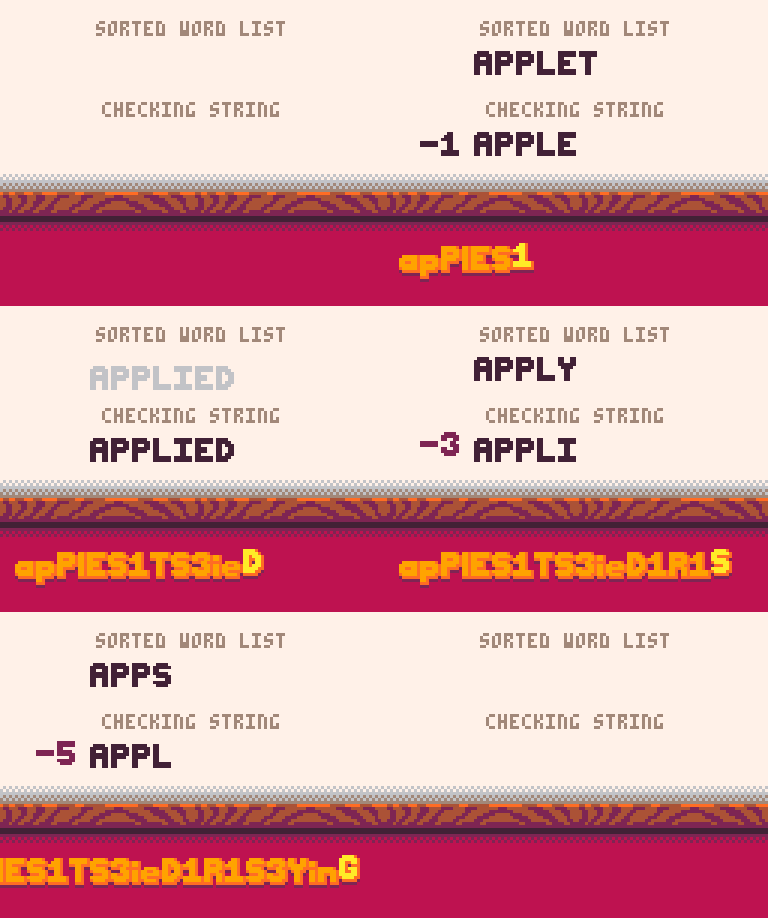
To check if a word exists in the list, simply go through the same steps of making the list. When a letter is reached, add it to a checking string. If the letter is in capital form, check if the checking string matches the requested word. If a number is reached, remove that many letters from the end of the checking string. If the end of the data is reached, then the requested word is not in the list.
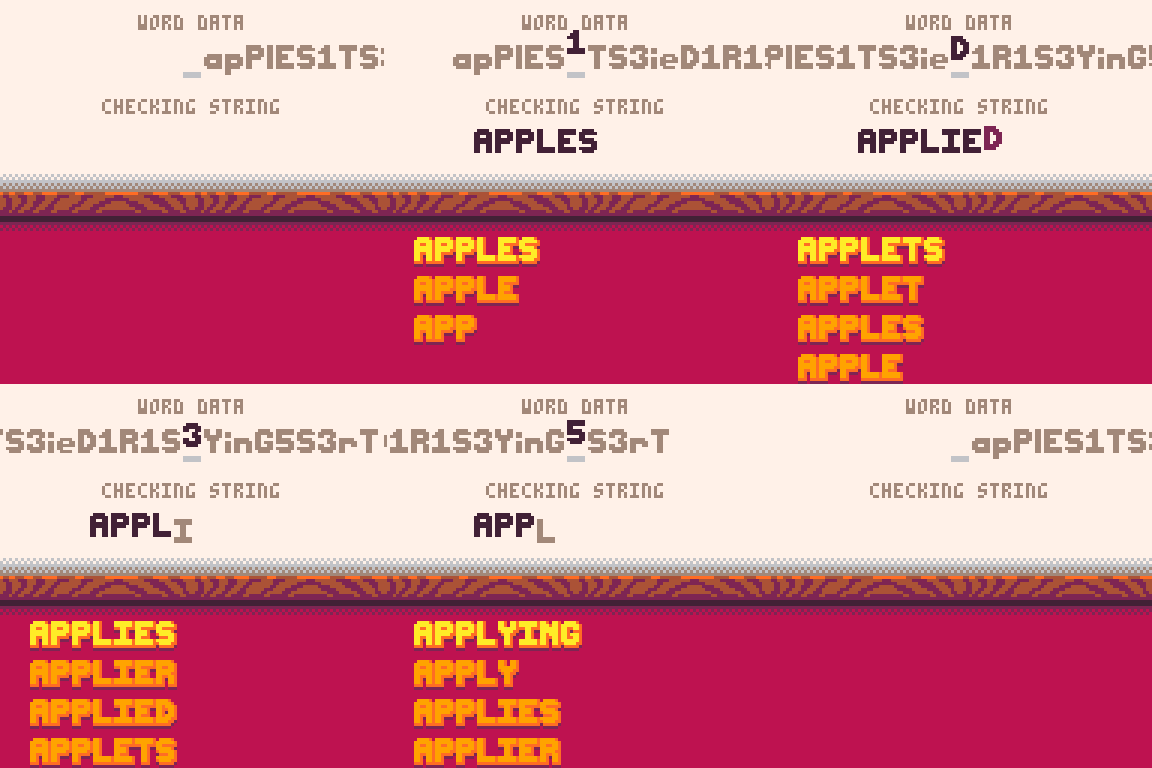
This process ends up working fine, but can get an additional performance boost.
Instead of comparing the checking string with the requested word, we can just keep track of how many characters are correct from the start of the requested word. When a letter is reached, a length counter is increased by 1. If the letter matches what's in the requested word at the same position and the correct counter matches the length counter, the correct counter increases by 1. If it doesn't match, instead wait until the length counter matches the correct counter again by being decreased by the numbers that are found. However, if the length counter ever goes below the correct counter, the place where the requested word would have been has been passed. This is because the words in this process are in alphabetical order. If a capital letter was reached and the length counter and correct counter are the same, the requested word has been found.
This process can still take some time to get through the entire list.
To speed it up, the words could be split into different lists based on the first 2 letters, then only checking the requested word based on the its first 2 letters. The sizes of some lists, like ones starting with "UN" or "RE", are still quite large though, making some words take longer to check still. In order to keep the lists relatively short, I instead looked at each one and if the number of words was over a limit, split it up into 26 different lists based on the first 3 letters. Then 4 or 5 letters if necessary. If a few lists were quite small and shared all but the last letter, they could be merged back together. After creating all of the lists, it now takes around 0.005 seconds in the worst cases to find if a word exists in the list or not. With this performance, it was now good enough to utilize in my game, Can of Words, without any hits to performance.
Some interesting notes about the 464 word lists I made.
Letters X, Y, Z have all their words contained in one list each. There are lists for words starting in "ANTI" and "INTER", with multiple lists starting with "CON_", "DIS_", "NON_", "OVER_", "PRE_", "RE_", and "UN_". The smallest word list is "INR", containing only 9 words as "inrOaDS3uNS1sHeS1inGS".
Which wasn't merged with the list "IN" as it was already too big under the compression parameters. Note that in my final version of the compression, I consider 0 as removing 1 letter to allow for 9 to remove 10 letters in the cases where more than 9 letters are needed to be removed.

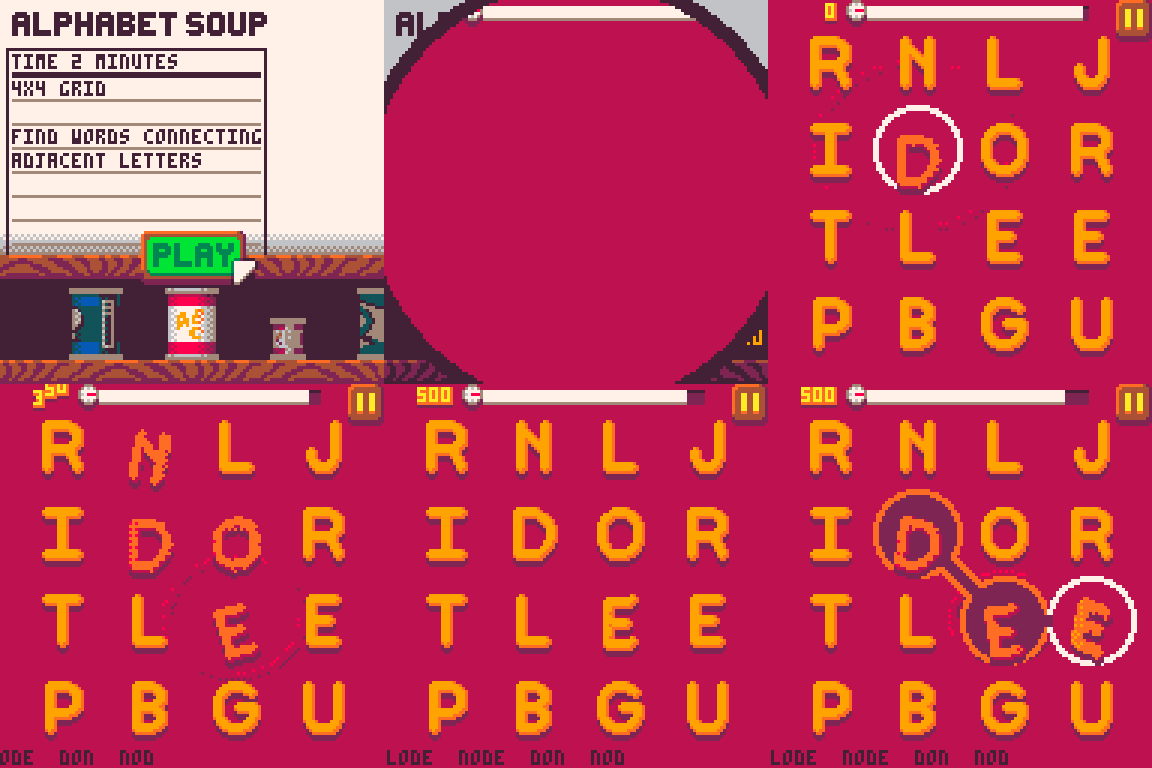
In my game Can of Words, the player types out words they find in a grid by starting from one letter and connecting letters in all 8 directions.
At the start of a round, a set of letters is randomly generated using a weighted system to ensure vowels are present and rare letters don't clutter up the grid. Unfortunately, this method can still generate grids with a really low number of words. Instead, I used the word data that was previously generated in order to find all words within the grid. The words are found by going through each individual list, finding if the first letter of the list exists in the grid, and finding a path in the grid that matches the letters.
Very similar to when checking if a word is in a list, if there's a letter, it finds if the next neighboring letter matches. If the letter is capitalized, then that is a valid word. If a number is reached, the process instead backtracks to the previously found letters. After going through all the word lists, the game determines if there are enough words, or if it should generate a new grid of letters and count again. This process could definitely be extended to make an AI for scrabble or other word games, but I'll probably explore other game genres for now.
Thanks for reading!
If any of this seems interesting or if you just like word games, maybe check out my game Can of Words.
- @Werxzy
A Go library in PICO-8 style
by drpaneas
I love PICO-8. It has a beautifully small canvas, a curated 16-color palette, and a dead-simple API that gets out of your way. Combine that with sprites, sound effects, and music editors, and it has everything you need to make game development fun again, just a tab away!
However, I've been a Go developer for over 15 years, so to me the biggest inconvenience is that Lua arrays start at 1, which made all of my physics and maths libraries a real pain to adapt. I also wanted to compose music on my piano, and sometimes have less restrictive limits. So I did what any unreasonable person would do: I wrote a similarly inspired library in the ecosystem I enjoy coding the most, Go.
So I created...
PIGO8 is a Go library. Not a fantasy console. Not a PICO-8 clone. It’s an open source library built on Ebitengine, which provides GPU-accelerated rendering across platforms. But it brings over the clean simple API and retro aesthetic from PICO-8.
Example PIGO8 Code:
func (g *Game) Draw() {
    p8.Cls(1)
    p8.Spr(1, g.playerX, g.playerY)
}
Same Init(), Update(), Draw() loop. Same function names. Same pixel-art charm. It compiles to a real binary and, although it is a big part of PICO-8's charm, this doesn’t artificially limit anything.
| Resolution | Fully configurable. The default is 128x128 for PICO-8 compatibility, but you can go 160x144 for Game Boy, or 256x240 for NES, or any custom resolution you like. The rendering pipeline scales accordingly. |
| Audio | No trackers, just import the WAV files. |
| Networking | Yes, it can even do online multiplayer, although I need to polish it. |
| Color Palettes | You can load any custom palettes from hex files, which you can find in Lospec. |
Go allows you to build games against all the modern OSes and architectures, and that includes a web version using Web Assembly. By the way, if you already have a game in PICO-8, I provide companion tooling that parses your .p8 cartridge and extracts spritesheets and maps to JSON format, which gets automatically imported by PIGO8.
Lately, I was also working on making Go to run on Nintendo64 and I have ported a very minimal PICO-8 API for it, one that works but without graphical assets (so far):
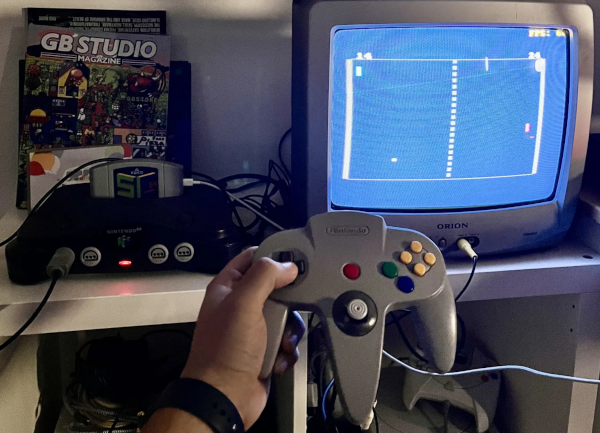
Now let me just geek-out for a second: this is the PICO-8 game Nerdy Pong that is ported to PIGO8 running on a real Nintendo 64! Not an emulator, but the actual hardware from 1996! For all intents and purposes, this is a PICO-8 game playing on vintage console silicon. How amazing is that??
And it doesn't stop there. This month, I'm bringing Go to the Dreamcast too!
If you're a Go developer like me, you are most likely used to running programs with unlimited resources thanks to cloud infrastructure, right? —Infinite scaling, containers everywhere, memory measured in gigabytes —all that expensive AWS stuff. Now imagine the opposite extreme: your Go code running on a Dreamcast with 16MB of RAM and a 200 MHz processor. That's what PIGO8 unlocks. A PICO-8-style game on actual 1998 hardware.
So for those of you who are considering what could be the best next step on your game dev roadmap after PICO-8, whether that might be Picotron, Love2D, or Godot, I just want to encourage you to also consider giving Ebitengine with PIGO8 a look. The transition is smooth, and the familiar API makes it painless. Who said Go can't be retro?
- drpaneas
PS: Porting PIGO8 to N64 and Dreamcast is not yet production ready. If you are the type of person enjoying writing tools, speak “friend” and enter :D
Updated Top 200 PICO-8 Games
by VoidGazerbon & Nerdy Teachers
Each year, we have updated and improved our "Top 200" webpage, listing the PICO-8 games with the highest star ratings received on the BBS. It has become the most popular page on our site with over 220,000 views! We want to thank all of you who have been using and sharing the page with others.
Last year we expanded the page by ranking not only the best 200 games of all time, but also ascertaining the best 200 in different spans of time. Since PICO-8 is over 10 years old now, we feel it is important to highlight the modern masterpieces to better compete with the crowd-pleasing classics.
So we have done that again and updated the rankings of all 4 time-spans:
Top 200 Games in Recent Years

But that's not all!
Once again, we’re thrilled to introduce a simple but exciting new feature! Before updating the list of titles, we compared each game's ranking between last year and this year to determine which games rose in rank, which fell, which remained unchanged, and which were newcomers to the top 200. So if you are curious about that like we were but don't want to sift through the internet archives to analyze both lists, we now display the changes in rank similar to Billboard musical charts.
To simplify that display, we chose to use 4 icons next to each game's rank:
| increased rank by a few spots | |
| increased rank by many spots | |
| decreased rank | |
| unchanged rank | |
| new title to the top 200 (either a 2025 game that made it, or an older game that earned enough stars in 2025 to now get in) |
(Note: These icons appear only in the "of all time" time-span)
We realize that it's quite difficult for new games to gather enough stars to make it onto the Top 200, especially when the classics are easier to find and are still gaining stars themselves! So we wanted to find a way to give even more opportunity to modern PICO-8 games to gain attention, playtime, and stars by all the PICO-8 gamers out there. We also hope this will encourage the titles that have been on the rise to keep their momentum going in 2026.
Now, by spotlighting the rising stars and recent hits, it makes it even easier for you to find those hidden gems you may have missed this past year. Happy browsing and gaming through the new year!
- VoidgazerBon & Nerdy Teachers

Exciting Projects in 2026
To Dither a Horror Game
by VirtuaVirtue
Hi, I’m VirtuaVirtue, and I’m making (among too many other projects) a narrative-driven survival horror game called "To Build a Fire"… in PICO-8.
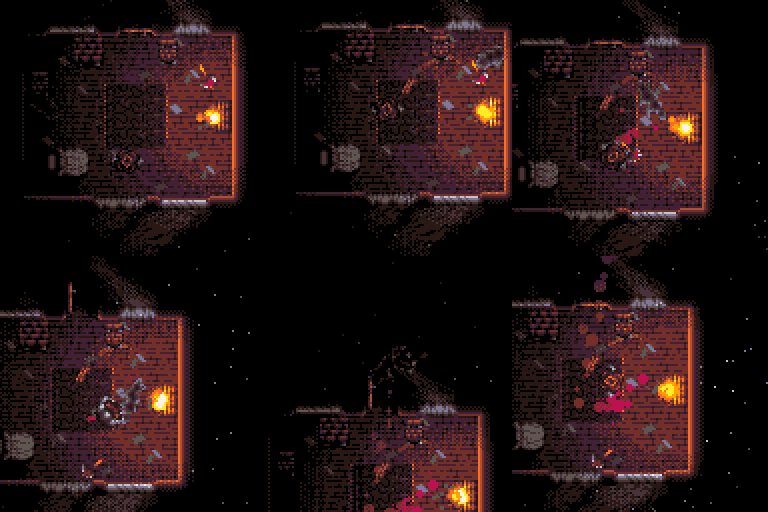
Narrative-driven survival horror? PICO-8?
You heard it here first, and you may be wondering “does that really work?”, and to that, after weeks of research into the nuances of human fear, I say:
I hope so! Test results have been pretty solid so far, let me walk you through the concept...
In To Build a Fire, you’ll discover an abandoned cabin before nightfall, and build a fire within. As the muffled blizzard howls outside and the furnace roars, it’ll quickly become apparent that your survival story is only beginning. Strange animals might circle your cabin, distant lights may beckon you, even your floorboards could be hiding something. As for your furnace, the firewood is used up; all that’s left is the furniture you’ve been barricading the door with, and the curtains you’re hiding behind.
How was that? Did that set the mood?
Settling on a spooky premise was the first step, and naturally, development only got harder from there. Today, I’d like to discuss my journey to perfect a petrifying PICO-8 project, and VirtuaVirtue’s three keys to horror™.
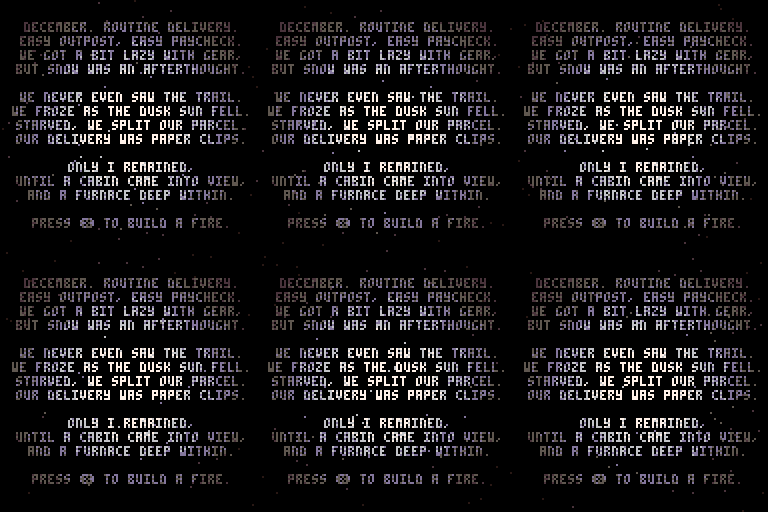
The First Key - Setting the Scene
Presentation is key. Ambience, art-style, premise, and even the implications contribute to an air of uncertainty. I decided to go with louder ambience for a thicker atmosphere, using some tricky techniques to create a positional sound system for the fire’s roaring. In terms of art, I knew I wanted something gritty, but with PICO-8’s palette and resolution, it was gonna be difficult.
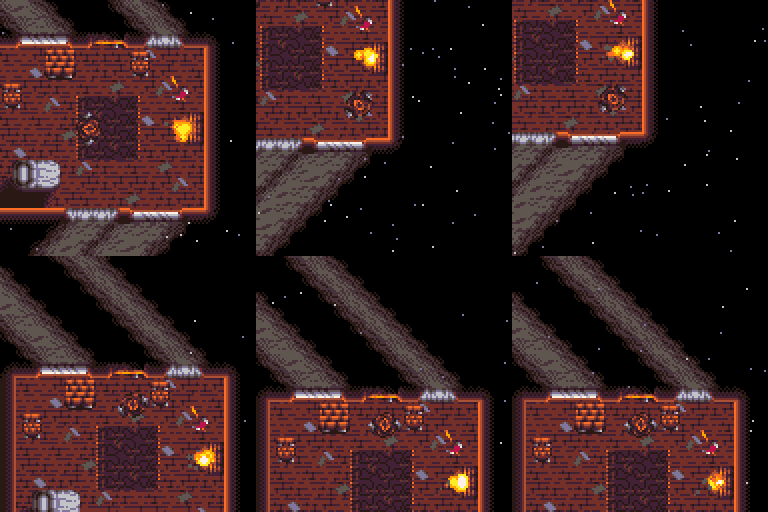
I also knew from the beginning that it would need a lighting system, due to gameplay centering around the fireplace, but little did I realize how much it would carry the whole art-style! The dithered light bands created grit, and with a bit more detail in the sprite work, it all came together.
I mean, just look at the difference lighting makes!
Before
After
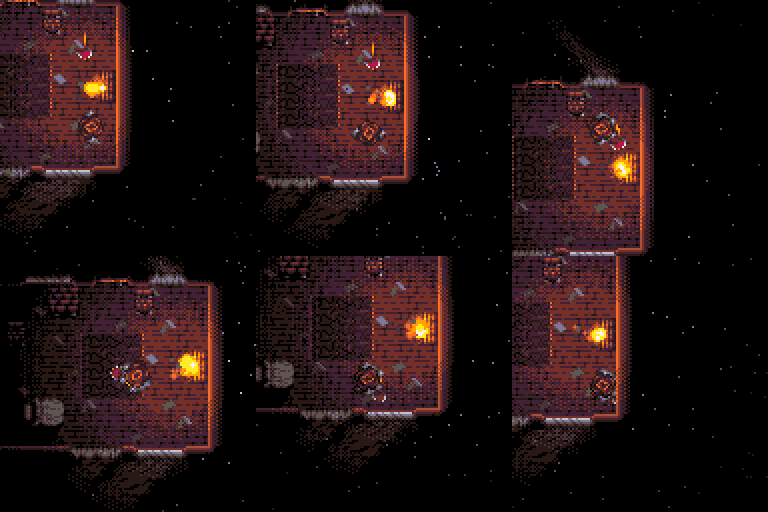
So, audio + visuals = immersion, thus immersion is the first key of horror, but immersion doesn’t do much if the player doesn’t have a reason to be scared, and this leads us nicely into my second key of horror.
The Second Key - A Right to Fright
Currently, this sounds like a leisurely night at the abandoned snowy cabin, but that all changes with the event system! Randomized events increase in difficulty as the night progresses, ranging from strange-looking animals investigating the cabin to off-putting growths rising through the floor.
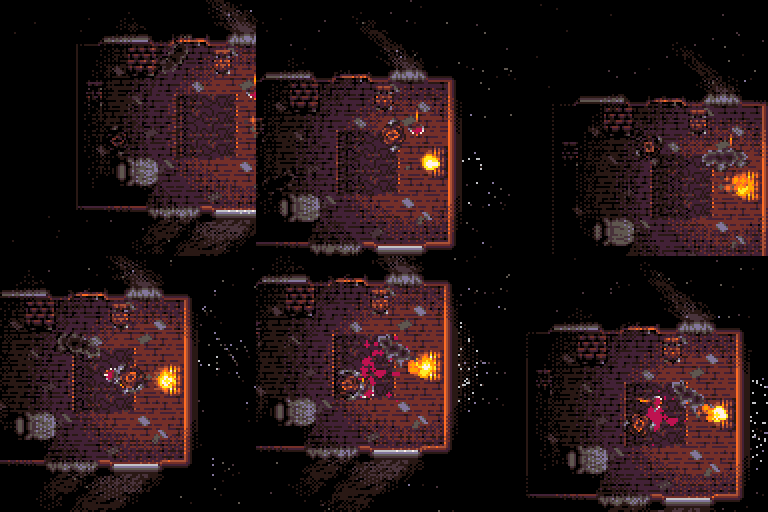
Now the player is on edge, and maybe tidying up the cabin in preparation for whoever and whatever is next awoken by the cabin’s light…but that’s not all, the events are even more randomized! Different aspects of each individual event can have different visuals and behaviors, leading to truly unpredictable runs, and the events all come in “arcs”; multiple small-scale events build tension before paying off in an extra-scary event. This happens a few times each run.
With all of this combined, you have my second key: buildup and payoff, think of it like the bread that holds the butter of visuals and audio.
Sounds like everything you’d need for a game; what could that third key be?
The Third Key - Smoke 'n' Mirrors
Well, outlining the gameplay and actually balancing it turned out to be entirely different beasts. Through my testing, I found that fear is a fickle thing: a single unfair death or a pileup of minor annoyances can shift the mood from ominous to annoying, and frustration completely overrides fear in most players. It’s up to the developer to curate the player’s disposition, but how?
There are a number of approaches to secretly tune games in the player’s favor, ranging from making obstacles smaller than they appear to designing events that seem harder than they truly are. But there’s still an underlying problem: this is a trial-and-error game, so death is guaranteed either way, and that can be extremely frustrating.
Through much testing, I found the ultimate solution by designing the narrative around dying! I can’t go too deep without spoilers, but these death sequences hint at how to survive while revealing more backstory, allowing the player to get further on each run while answering some questions and raising even more!
Conclusion
Simply put, I settled on a clear design philosophy and managed to accomplish what I once called an impossibility: making PICO-8 scary. There’s probably a few more lessons to take away, but that’s up to you so I can spare the word count.
Art of Umbra
by keys (IndiePixel)
Hello Stranger! My name is Keys,
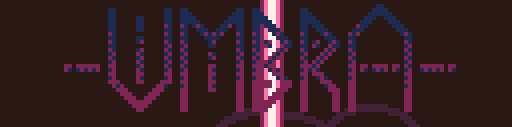
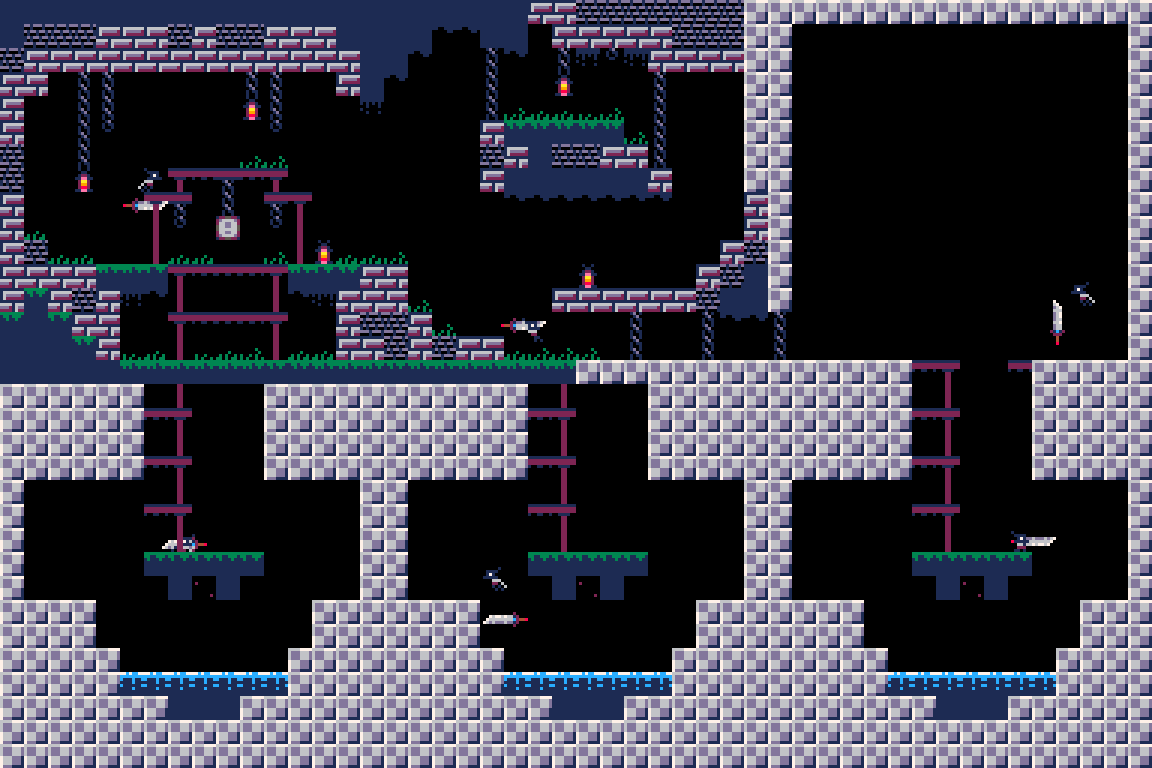
I'm currently working on a game by the name of UMBRA, a hack and slash story platformer inspired by the likes of Hollow Knight, Hades, Devil May Cry, Celeste, and so on! If any of these things intrigue you, you can already play the demo on the BBS or itch.io! (links at the end of article)
This has been a huge project for me over the last 2 years and it's technically my second ever PICO-8 creation. It started as just a learning project to get down the basics of Lua and platformer movement. For which, I actually followed the tutorial by Nerdy teachers funnily enough! Speaking of, they invited me to talk about the art/effects of my game so let's jump in to that!
Character Art and Old Designs
I've been an indie game dev for roughly 9-10 years, but one of my main passions has always been illustration and writing. The main character of Umbra, Rem, started out as an idea sketch. She didn't really have a purpose at the time, and her story was mostly just, “cool shadow with a big sword” until I finally received PICO-8 as a gift from a friend.
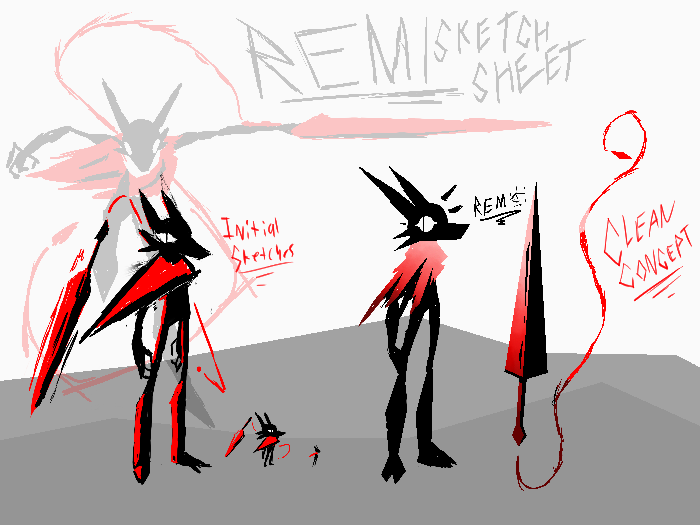 ( Initial Rem sketches from 2022 )
As you can tell, she looks a bit different from the way she appears in the game. This is mostly due to PICO-8’s restrictions and my own change in style after 2-3 years. With only 16 colors, it made it difficult to have a pitch black void of a character in a world made of darker colors.
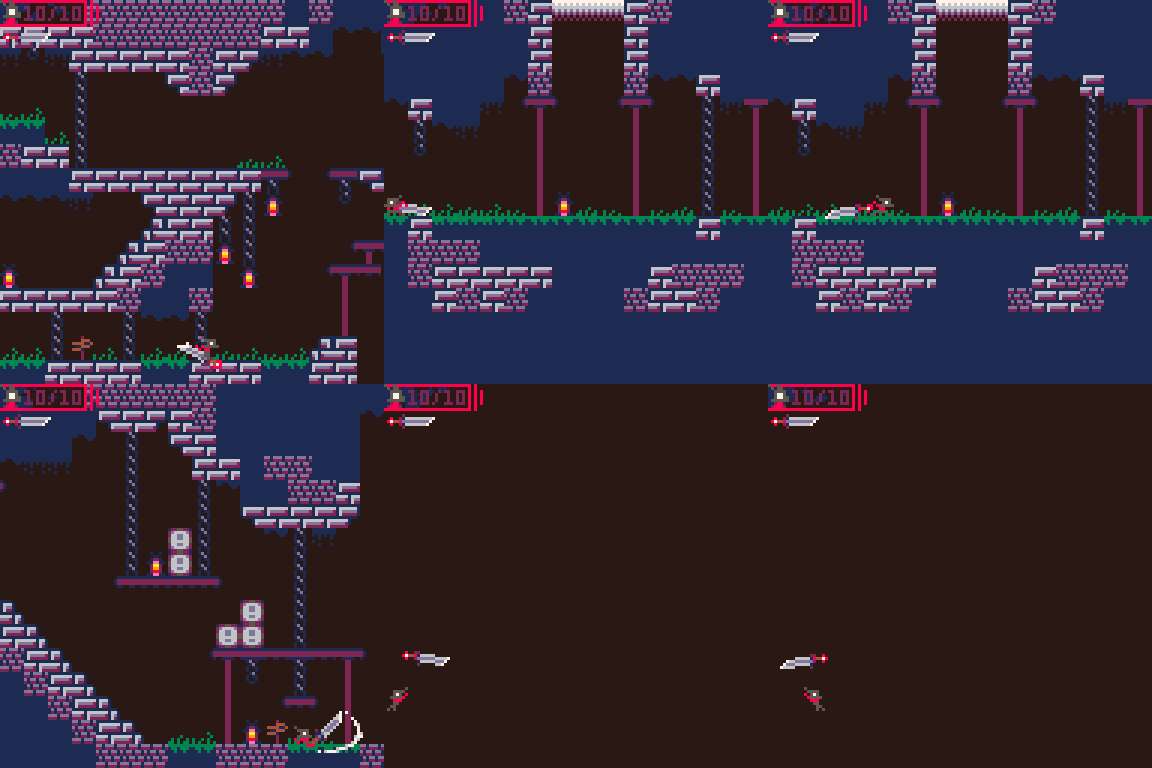
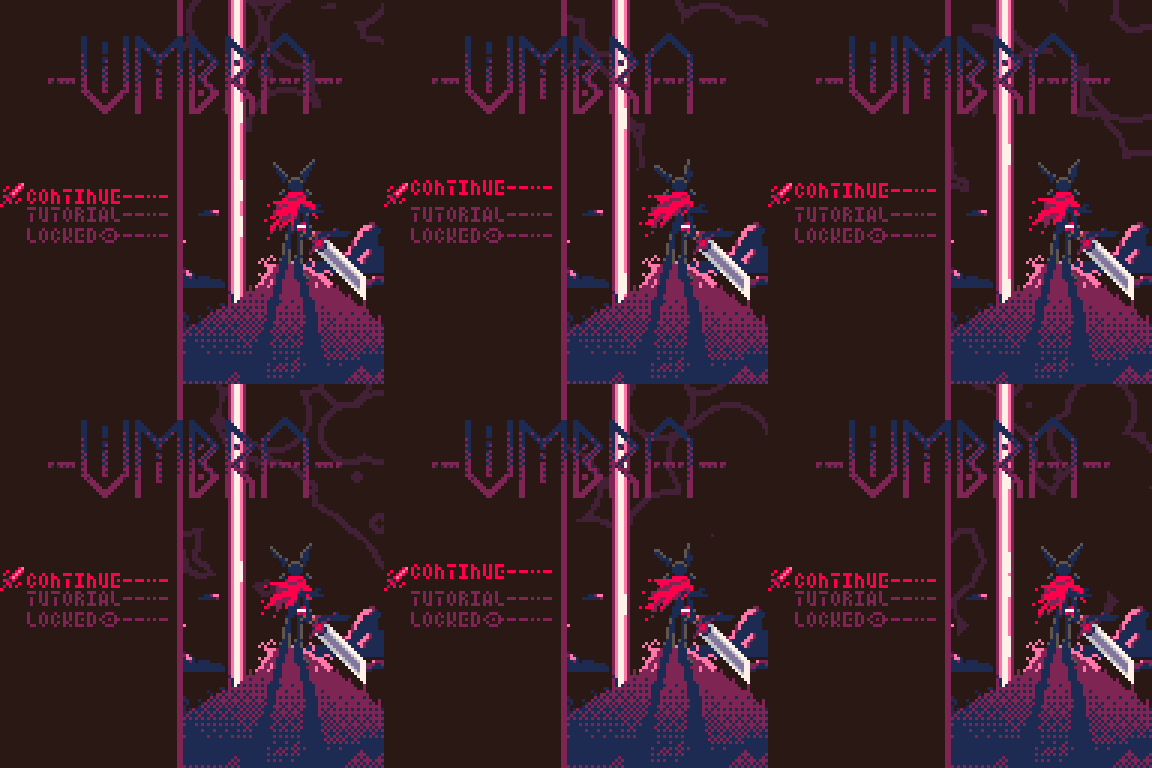
These gifs show a little bit of the progression as I was still messing around with colors and prototyping ideas.
The big thing I wanted for the game right at the start was a decent collection of illustrations to tell the story. And since PICO-8 only has 128 by 128 pixels to work with, it was a bit of a challenge to fit everything together. Now if you're a more experienced developer you may think I'm about to start talking about compression and the algorithm I used. Unfortunately for my token and character count, you'd be wrong.
I employed several techniques to get some of the larger pieces to fit. A majority of the time I just take the art directly from Aseprite and attempt to fit everything together into the sprite sheet like a game of tetris. Though in the case of the title screen, I required more sprite space than PICO-8 allowed to load the game logo on top of the background art. Now keep in mind I did not know about Himem at the time, and this seemed like the best course of action. I created a tool that read every pixel of an image and spat out the pixel index as an extremely large list. Then created a function that would set the pixels to the screen with pset. Slow but functional, and that's all I cared about at the time.
Below is an example with the code. Though the image data of the logo is not provided.
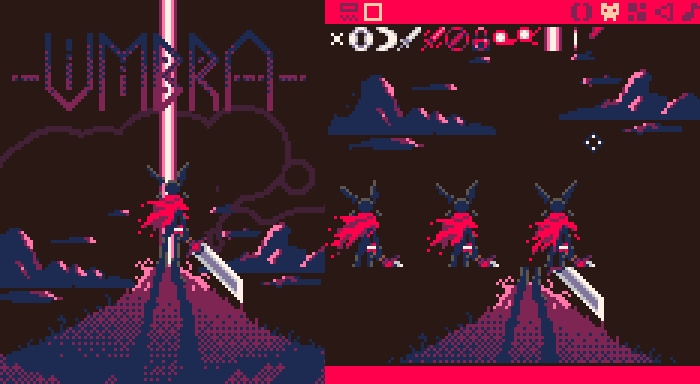
( The desired result vs my poor sprite packing choices. )
Code used to display the logo
function drawmega(sp,ax,ay)

	--convert  image data into a usable array
	local test= split(sp[1],",",true)

	--loop through each non-transparent pixel and draw it
	for i,px in ipairs(test) do
		--get index into array with 2d coordinates.
		local x,y=i%128,i128
		if px!=0 then
			pset(x+ax,-y+128+ay,px)
		end
	end

end
While the title screen was drawn in Aseprite as pixel art by default, I wanted to include some pieces with a more hand illustrated style as pixel art wasn't my forte. If you reach the end of the demo, you may have seen a large illustration of Rem leaping into the air. That did not initially start out as pixel art. It started as a full page illustration that I eventually converted into pixel art through a wonderful tool called Depict by Jenny Schmidt (bikibird). It was a nice tool for downscaling my hi-rez artwork and repalletizing it to fit within my game’s set colors. However the output still needed some cleanup, which I did separately within Aseprite.
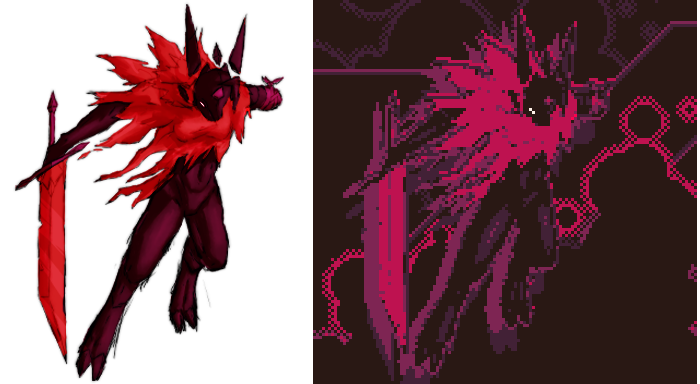
( Initial cut out illustration vs in game result. )
If you're interested in the color palette I chose for this game, check out the color analysis here:
 Color Palette of Umbra
Lighting
We’ve talked about illustration and art enough by this point, so I'd like to move on to explaining some effects. In particular, the game's “lighting” system. Lighting is in quotes as it's not really light in a traditional sense, it's closer to a photoshop layer mode.

To clarify, the lights work by taking a cutout square of the screen and writing it to himem, swapping the palette with a version that simply changes the brightness of each color by one or so in the color index, and drawing an inverted circle around the center of the cut out in black, then simply sending the data back to the screen. The black pixels are still transparent allowing for the light to be a variable circular shape! The little separating line is done by simply drawing a black circle slightly smaller than the inverted one.
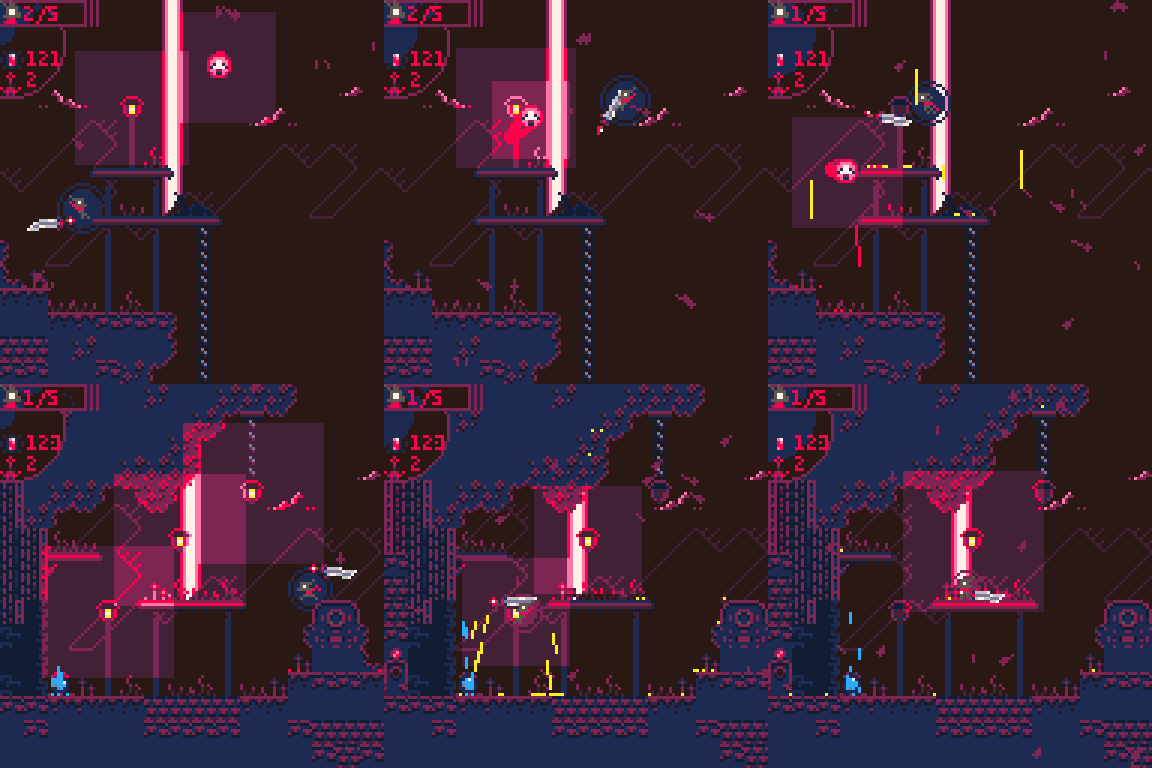
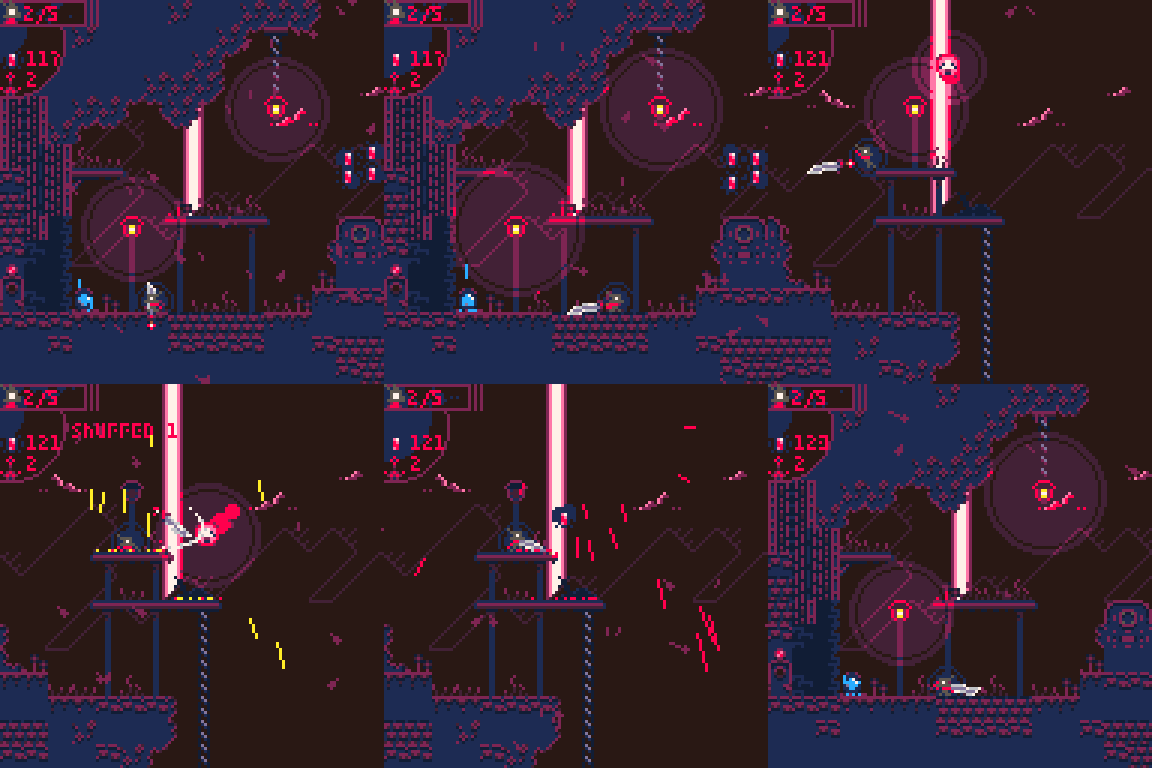
The great thing about drawing the screen straight to himem is it allows for additive color mixing. Simply by drawing the already lit pixels back to himem, lights can overlap without issue!
While this works like a charm, having hundreds of lights rendering at a time throughout the level would tank performance. So I have the game check which room you're in and only render lights and enemies that are currently on screen. This is why you may sometimes see lights disappear if you stand just on the edge of the screen.
Example code of the Lighting Function (commented and expanded for easy reading):
function light(x,y,r)
  -----------------
  --x,y is position, r is radius.
  --this requires camx and camy variables to tell where the camera is.
  --though it should be easily removable.
  -----------------

  --set screen mem
  poke(0x5f55, 0x80)
  poke(0x5f54, 0x60)
  cls()

  --draw the cut out portion of the screen to memory
  sspr(
	    x-r-flr(camx),
	    y-r-flr(camy),
	    (r*2)+2,
	    (r*2)+2,
	    x-r,
	    y-r,
	    (r*2)+2,
	    (r*2)+2
  )

  -----------------
  --yes i know theres a less token heavy way to do this.
  --this is just what worked while i was learning.
  --set your lit palette here
  -----------------

  pal(0,0,1)
  pal(1,2)
  pal(3,2)
  pal(15,3)
  pal(2,8)
  pal(11,3)
  pal(8,14)

  --draw your inverted shape here
  circfill(x,y,r,0 | 0x1800)

  --extra circle for style
  circ(x,y,r-2,0)

  --set hi mem back to screen mem
  poke(0x5f55,0x60)
  poke(0x5f54,0x80)

  ---draw light to screen
  sspr(x-r-flr(camx),y-r-flr(camy),(r*2)+2,(r*2)+2,x-r,y-r,(r*2)+2,(r*2)+2)

  --return memory to defaults.
  poke(0x5f54,0x00)
  poke(0x5f55,0x60)

  -- return to normal palette
  pal()
  pal(0,0+128,1)
  pal(15,0+128,1)
  pal(3,2+128,1)
  pal(11,1+128,1)

end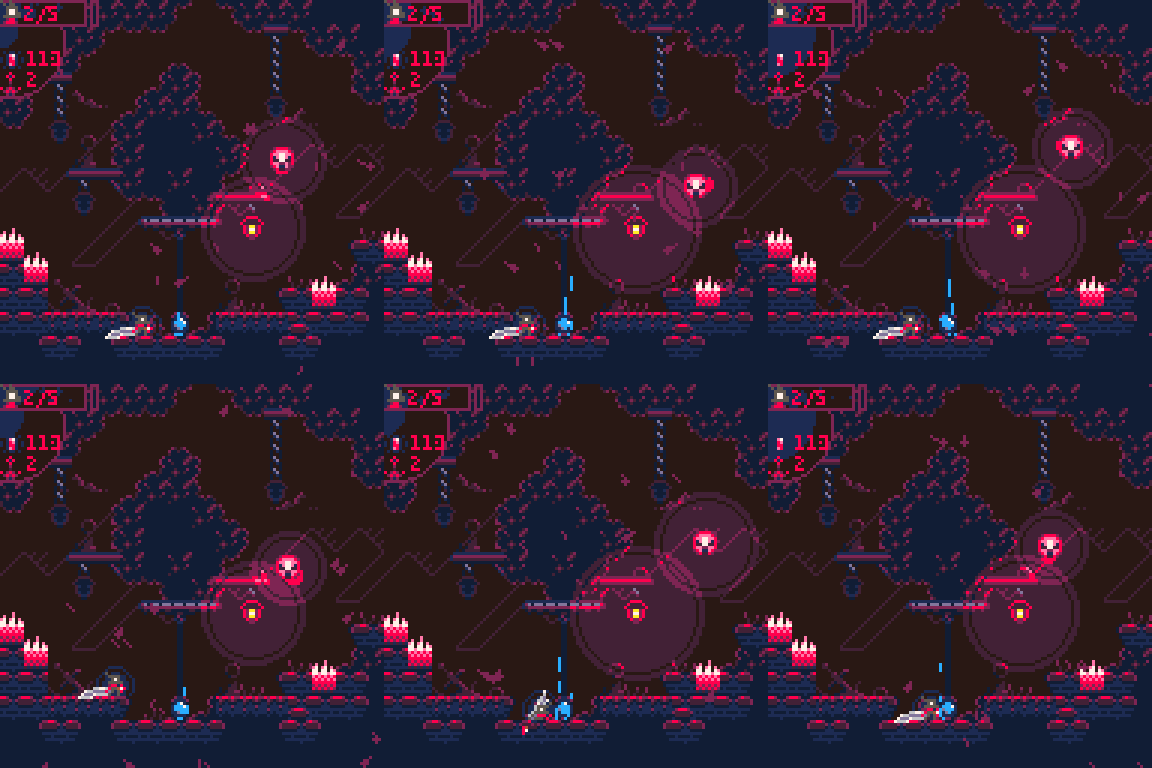
( Example of Overlapping Lighting )
This was by no means an easy task to figure out as a relatively new PICO-8 dev. I wouldn't have been able to pull off this effect without the wonderful people on the PICO-8 discord server and their patience with my lack of knowledge.
If you're curious about the current development status of the game, it is nearly done! I'm currently working on the development of the final area, and balancing the boss to keep things fun but challenging.
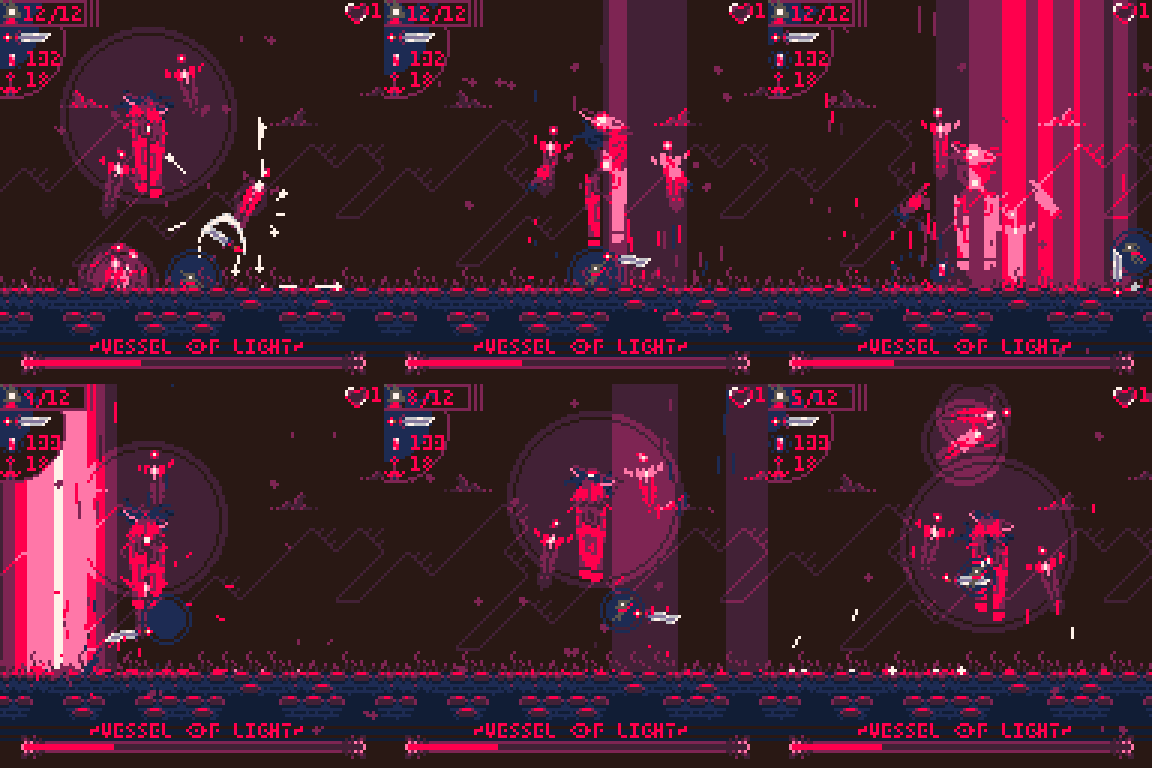
As for full release, I'm tentatively hoping for January or February 2026. But that's entirely dependent on how my situation changes over the new year with school and work. If you are interested in playing the demo before the full game comes out, you can find it on either...
Also, If you'd like the files to mess with directly or to put on your handhelds easily, the itch.io page has more options for downloads to mess with. The demo will change over the next couple months as I add and change new things to the full game.
If you’d like more from me (or if you find any bugs) you can find links to all my stuff on linktree. I hope you enjoy the game!
Thank you for reading, have a pleasant existence,
- Keys
PICO-8 Giveaways 2025
by Nerdy Teachers

This year, thanks to all of you and especially the monetary support from our Ko-fi members, we held events and challenges that gave away free PICO-8 licenses as rewards.
So far, we have given away 40 licenses!
The first was a Game Design Jam, where participants could take our PICO-8 styled template of a Game Design Document and fill it out with their game idea. For the jam participants, we provided in-depth feedback to each document in addition to their PICO-8 awards. After that, we left the jam page open with access to the template for anyone who wanted to enter a late submission through email to still receive the PICO-8 license as reward for their efforts.
We had a lot of fun reading so many various game ideas this year and we look forward to seeing if any of them are brought to reality one day.
Then we also began encouraging people to complete all 4 Side Quests from our PICO-8 Introduction to Code Course, by using the Education Edition, as another way to earn a free license. The BBS pages for those Side Quests are a sight to behold with so many creative scenes drawn using mostly just shape-drawing code.

We have also kept our eyes out for students, teachers, and schools who might be interested in starting a PICO-8 coding and game development class that we could sponsor with more giveaway licenses. One such class starts this January within a homeschool community and we're happy to say that we have provided take-home licenses to each student attending the course.
We look forward to giving even more away in 2026, especially to schools and students, so if you know someone or a group of deserving folk out there, send them our way by sharing this page that we will keep up to date with various ways to earn a gifted copy of PICO-8:
Pixel Art Gallery
PICO-8 Community Mural
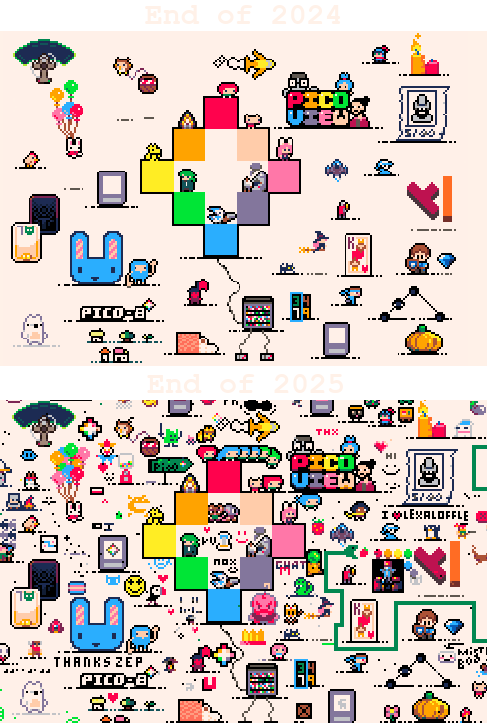
Before and After - 1 Year of Pixels
Last year, we began a Community Pixel Art Project and invited everyone to add to a specific location of EveryoneDraws.com to add their own PICO-8 artwork to the mural. The website and app both exclusively use the PICO-8 palette and there are no drawing tools other than "select a color" and "place a pixel" which means everything you see here was drawn one pixel at a time! So just remember that, no copy & paste, no bucket tool for filling in color, and even text has to be written pixel by pixel.
I had a great time browsing the mural and selecting only a fraction of all the fun, heartwarming, impressive, and hilarious bits to share here.
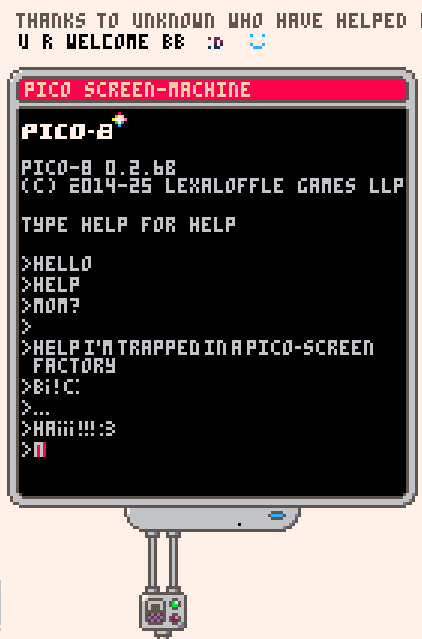
One early and incredibly dedicated addition to the mural was this "PICO Screen-machine" that sent pipes out and around like a moat surrounding the mural's center. Inside this portion, we have a loyal recreation of the PICO-8 intro screen, followed by a very amusing list of commands-turned-dialog? The line "Mom?" kills me.
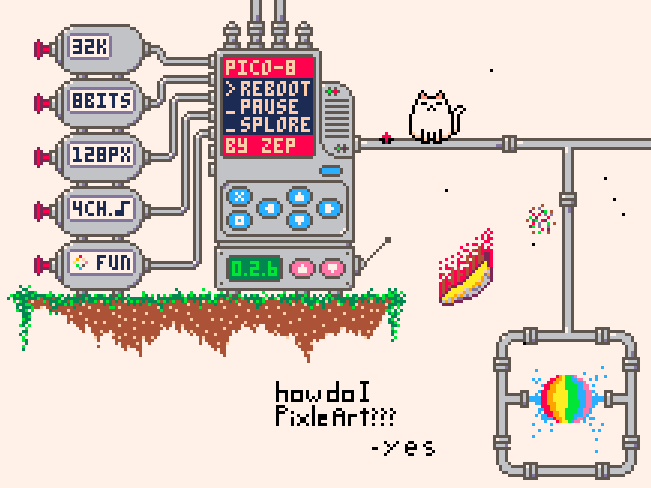
Another corner of the screen-machine is this incredibly creative and detailed PICO-8 mechanical heart complete with button inputs, a version number, and all the limitation specs.
Someone was so impressed with the drawing they asked, "how do I PixelArt???" And the succinct response makes me chuckle every time I see it.
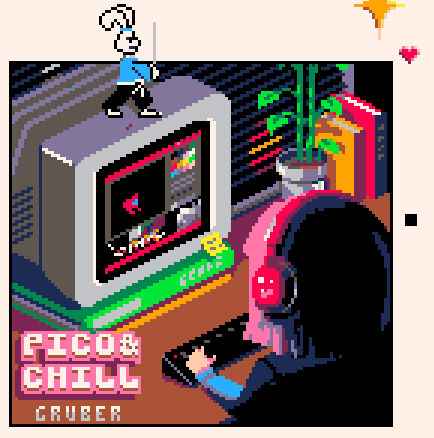
It must have taken a remarkably dedicated individual or group of people to complete this pixel-perfect match (minus the samurai bunny of course) of Gruber's PICO & CHILL cart label.
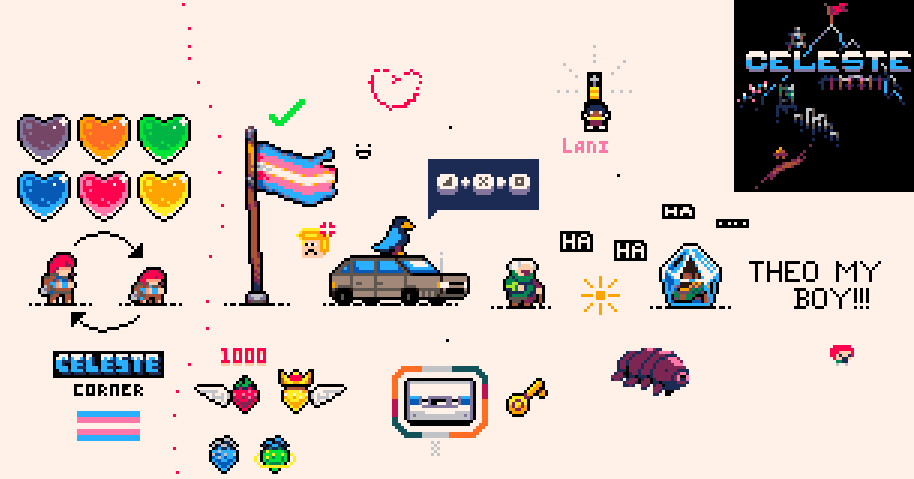
The mural just wouldn't be complete without a space dedicated to the game that helped put PICO-8 in the hearts and minds of so many worldwide, Celeste.
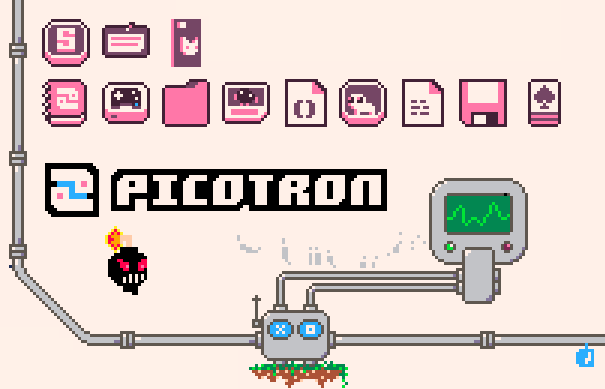
Several spaces even show love to PICO-8's younger but bigger sibling, Picotron. Seeing those pink icons make me want to load up that fantasy workstation right now!
There are even some fascinating pixelated conversations that happened in a few places. This one is one of my favorites because it sums up the humanity so well. All the way down to the cheeky eraser scrubbing away the words "don't erase anything".
We could surely go down a philosophical rabbit hole about socio-cultural dynamics emerging from anonymous interactions and the natural inescapable conflict of order vs chaos, structure vs freedom, governance vs anarchy, obedience vs rebellion.
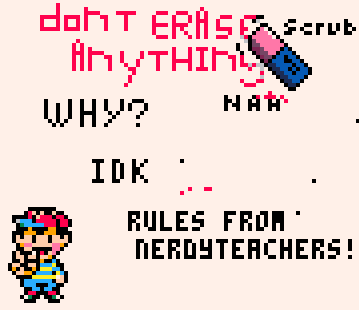
(Note: I did not participate in the mural after the initial central core of sprites to get it started. So to whoever righteously fought for the "rules" and namedropped NerdyTeachers as an authority here, much respect for holding others to respect the art, which the community did a very good job throughout the mural honestly. )
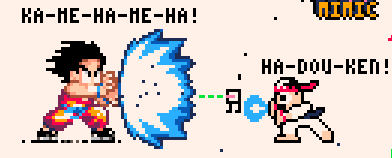
Some conflicts were resolved through pixel art instead of words. I like to imagine the first artist drew Goku here as mere fun, but a second artist took it as a challenge and drew Ryu, and perhaps a third artist felt that Ryu needed help and so drew a tiny robot. Funny enough, they don't appear to be a match for Goku. Or was it all the other way around?
Oh, the stories told in the mural!
Another challenge that surprised me (or maybe shouldn't have in this community) was a maths equation in puny font. I love to imagine the thoughtful time and effort put into the meticulous placement of those pixels, but then two quick-to-concede responders wrote "can't read" and "i don't know man, 2?" XD
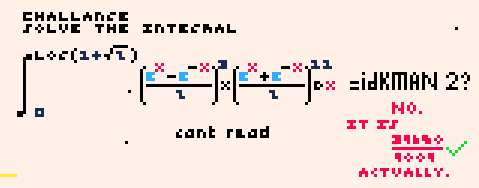
But then a fourth participant actually takes the time to solve and write the answer as a full sentence in red. And finally, which brings so much joy to my teacher-heart, I hope that the original person who laid down the challenge returned to diligently mark the answer as correct.
Finally, we have this mysterious section with an obvious blank spot that somehow created so many reactions!
It began as an innocent smiley face train at the bottom that quickly turned cringe-central with one face added that someone was tempted to and then decided to erase.
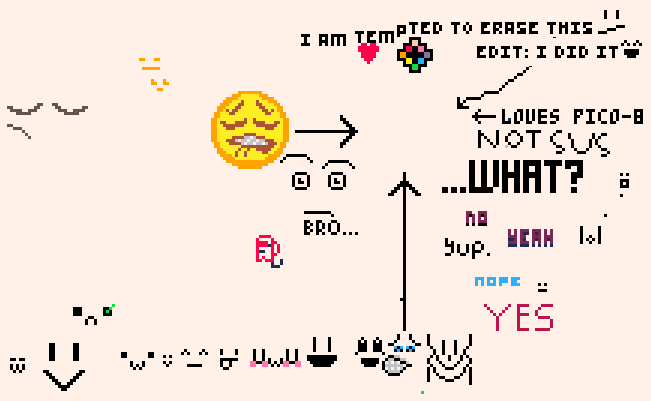
Now I was actually witness to this entire space unfolding as I enjoyed returning each month to take a look at how the mural was developing, so I know exactly what face it was that stirred up so much criticism, but I won't tell you because I like the mystery created by its absence! For those of you who also saw and cannot erase the image from your mind like me, we can at least laugh now at the inside joke we share.
There are so many more interesting, beautiful, and entertaining nooks in the mural that this was just a taste, so go check out EveryoneDraw.com, even to just explore and discover other communities and their pixel art projects. It is available in your browser (with some limitations), or as a mobile app (recommended). And whether you are a pixel artist or not, I welcome you to contribute to our PICO-8 mural by adding a sprite or two from either your own PICO-8 games or a PICO-8 game you really like.
Closing Remarks
Thank you for reading this 2025-2026 New Year's issue of the Pico-View web-zine! We hope you enjoyed all of the articles this month. Here are the folks who helped piece the zine together one pixel at a time...
-OK_Letterhead1848 - Cover Art
-Munchkin - Author
-Kevin Thompson - Author
-Bikibird - Author
-Phil Szomszor - Author
-DrPaneas- Author
-VirtuaVirtue - Author
-Keys (IndiePixel) - Author
-Community Mural Participants - Artists
-Werxzy - Author
-VoidgazerBon - Author and Coordinator
-Achie - Coordinator
-NerdyTeachers - Editor, Author
Thanks to all the authors, contributors, and readers for supporting our PICO-8 zine! If anyone would like to write an article, share pixel art, contact us @NerdyTeachers on twitter or on our Discord.
13408
24 Dec 2025